


Audio switch
An optical audio switch, also known as a Toslink switch, is a device that combines multiple optical (Toslink) audio inputs into a single output without delay or loss of quality. If your amplifier only has 1 Toslink input, an audio switch offers a solution. An optical audio switch makes it possible to connect various audio sources, such as a Blu-ray player, game console or streaming device, to one input of your amplifier, soundbar or home cinema system. This allows you to switch effortlessly between different audio sources without having to change cables every time. An optical audio switch is very user-friendly. You simply connect the optical audio cables from your audio sources to the inputs of the optical audio switch and connect the output of the switch to the input of an amplifier, soundbar or home cinema system. Ideal for those who regularly switch between watching movies, gaming and streaming music or if you just want to use fewer cables.
-
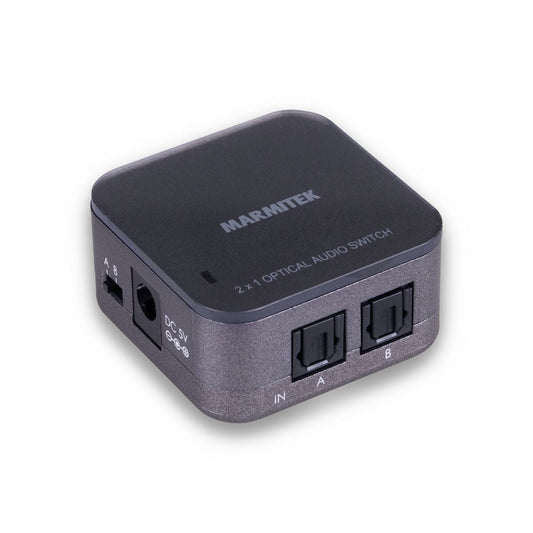
Connect TS21
Optical audio switch - 2 in / 1 out - Toslink
Connections
2 in / 1 out
Dimensions
24 x 46 x 46 mm
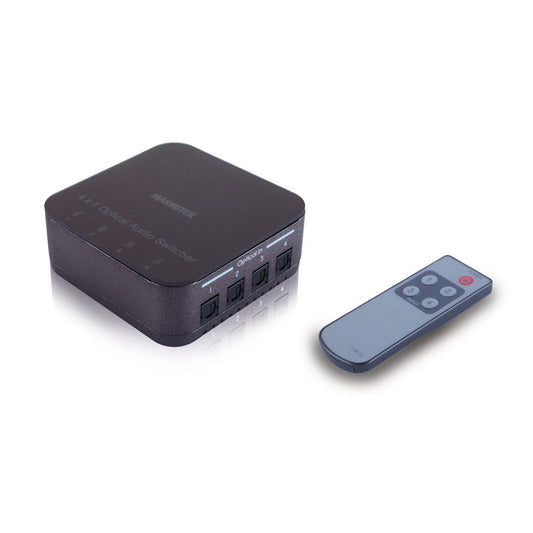
Connect TS41
Optical switch - 4 in / 1 out - Toslink
Connections
4 in / 1 out
FAQ
-
What is an optical audio switch?
An optical audio switch allows you to connect multiple optical audio sources to one sound system. -
When do I use an optical audio switch?
For example, if you want to connect a TV, game console and media player to one soundbar. -
How does an optical audio switch work?
Connect all your optical sources to the inputs and use a button or remote control to select which one is active. -
Does an optical audio switch support surround sound?
Yes, Marmitek optical audio switches support Dolby Digital and DTS audio. -
Does an optical audio switch affect sound quality?
No, the digital signal remains unchanged and interference-free. -
Can an optical audio switch automatically?
Some models have auto-detection, others are switched manually. -
How many inputs does an optical audio switch have?
Depending on the model, 2 to 4 inputs and 1 output. -
Does an optical audio switch need power?
Active models do, via USB power. -
What is the difference between an optical audio switch and an audio splitter?
An optical audio switch selects between multiple sources, an audio splitter distributes one source to multiple devices. -
What is the advantage of a Marmitek optical audio switch?
Compact design, high compatibility and easy operation.


A member of the
 group
group
 group
group
- Choosing a selection results in a full page refresh.
- Opens in a new window.