


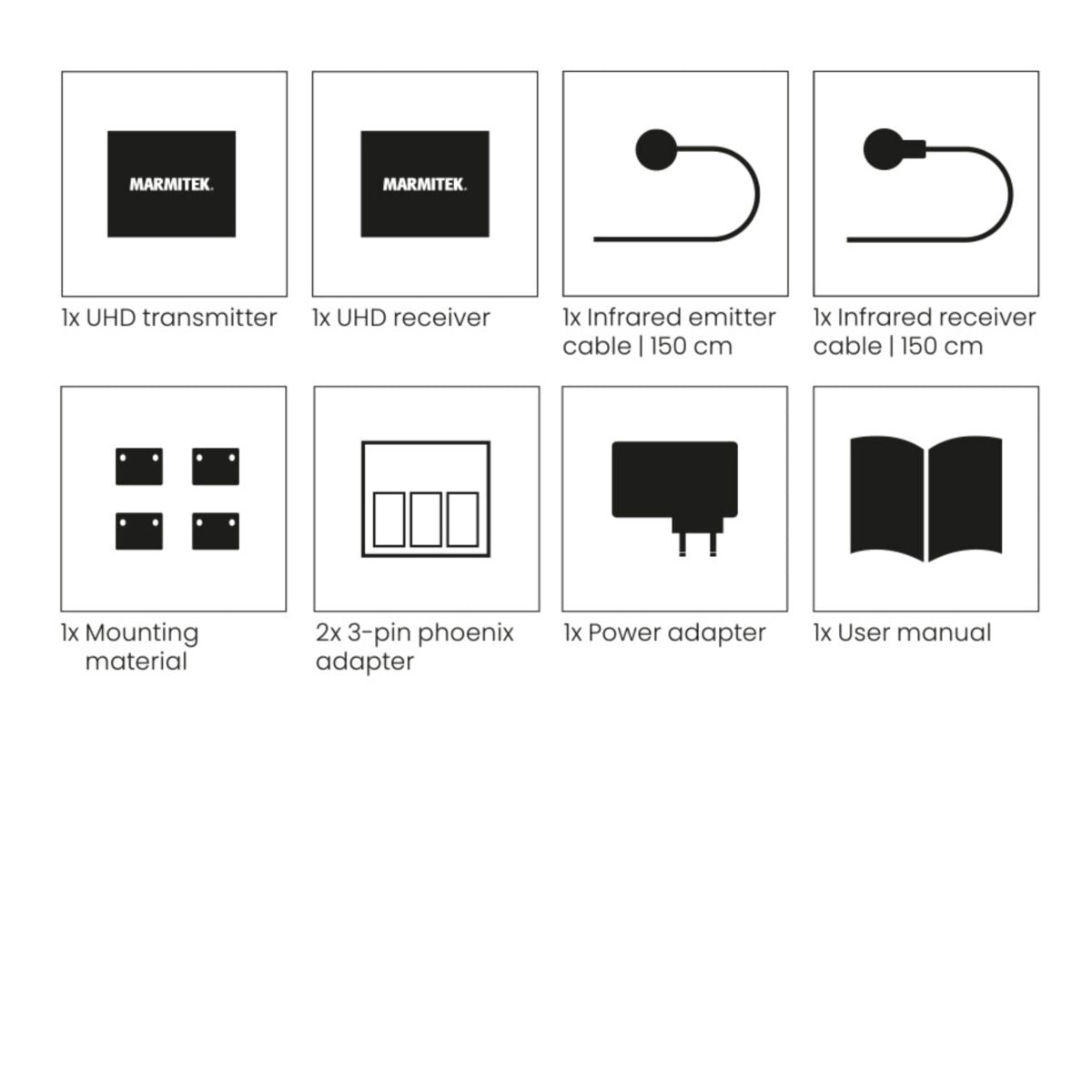
Always included
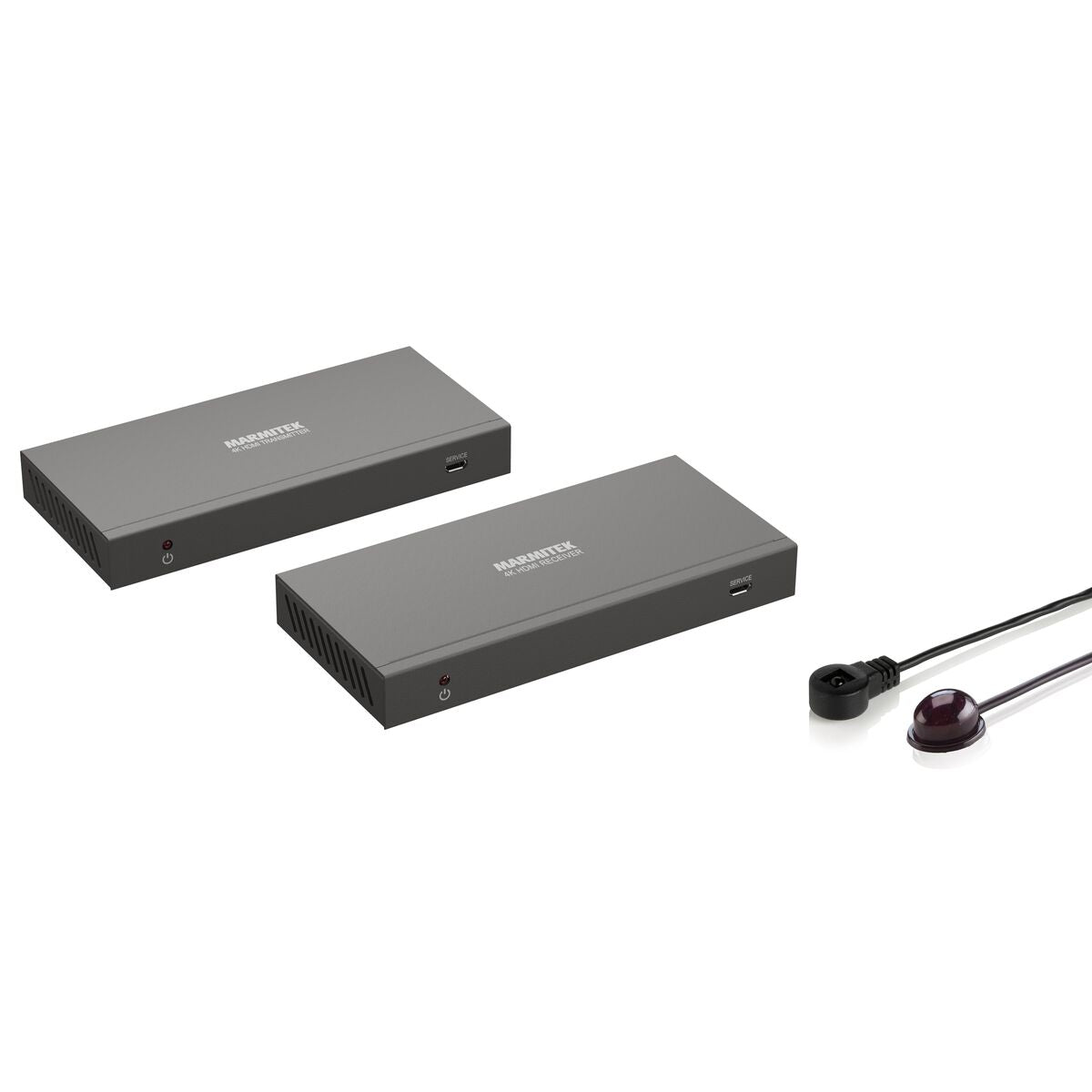
- HDMI transmitter
- HDMI receiver
- IR emitter cable | 150 cm
- IR receiver cable | 150 cm
- 2x 3-pin phoenix adapter
- Power adapter
- Mounting material
- User manual
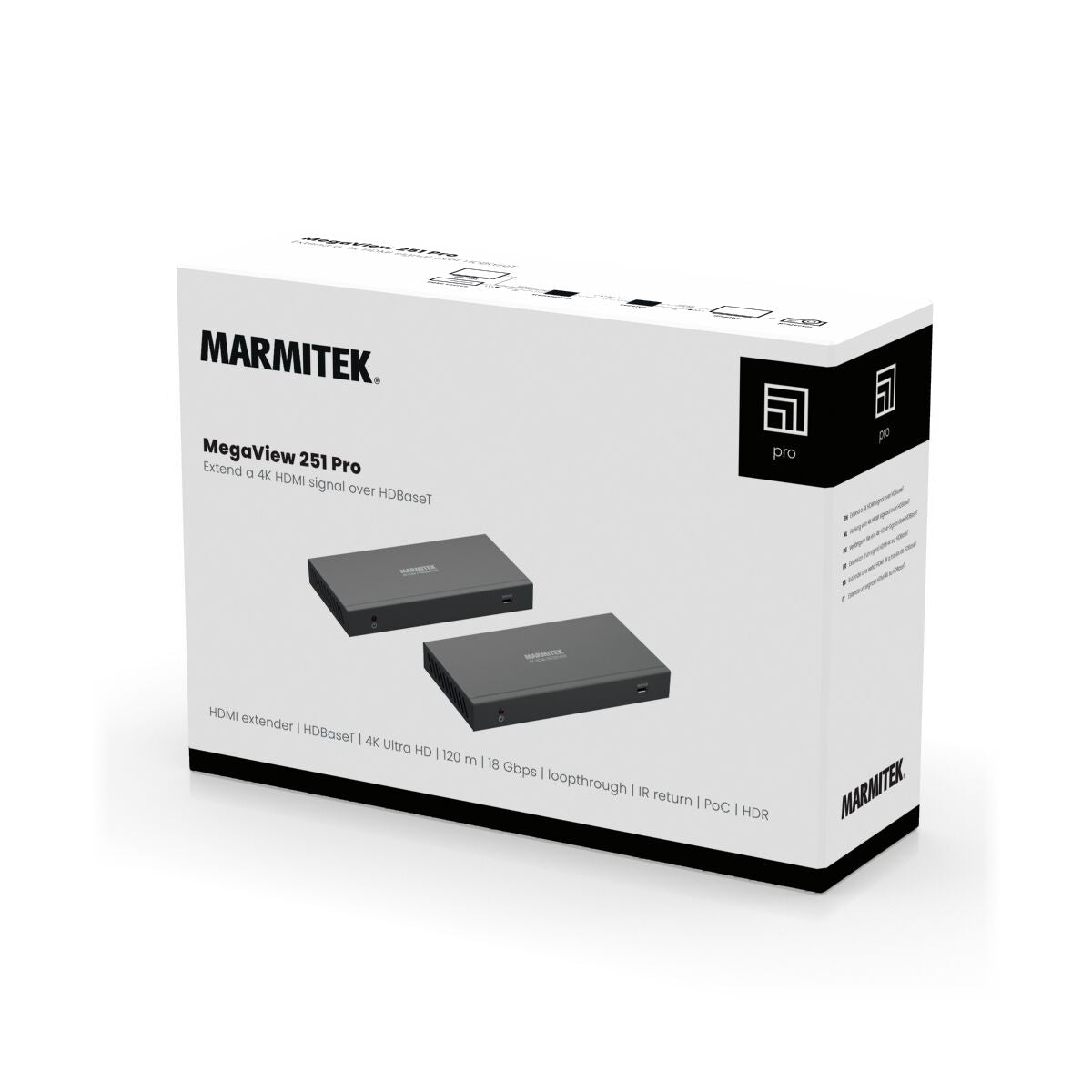
MegaView 251 Pro
HDMI over UTP extender - HDBaseT - 4K 60Hz - 120 m - PoC
NOTE: ONLY AVAILABLE WITH EU PLUG.
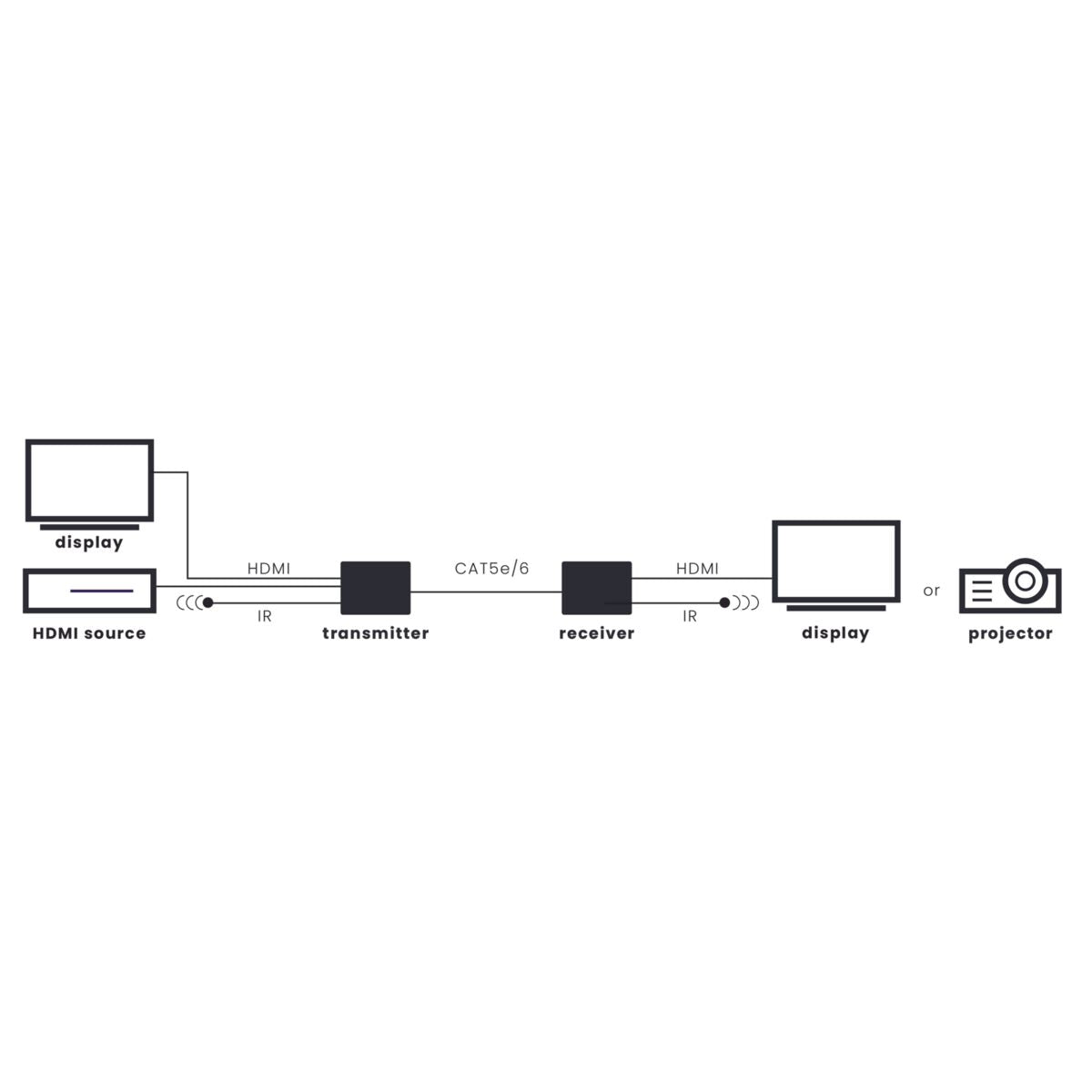
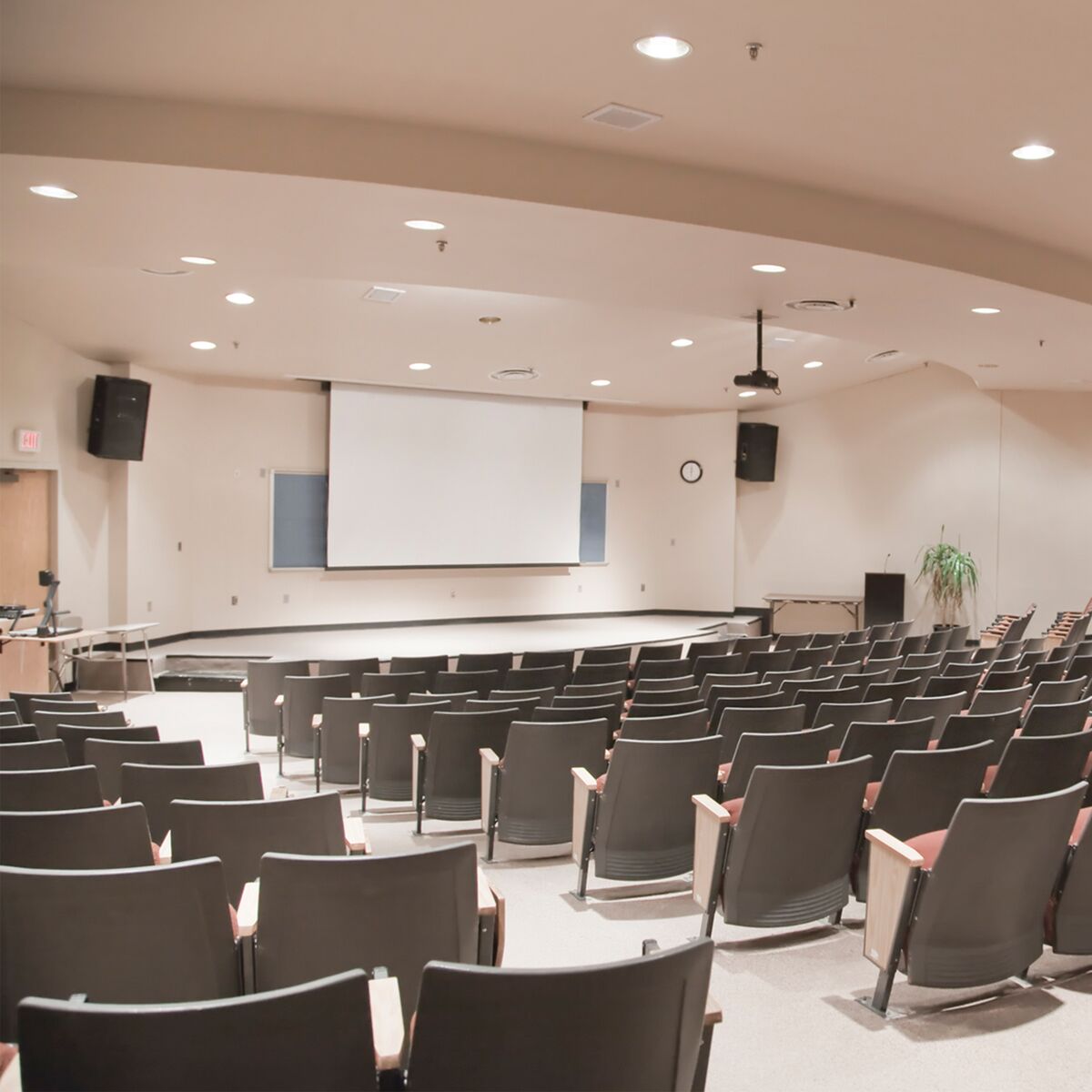
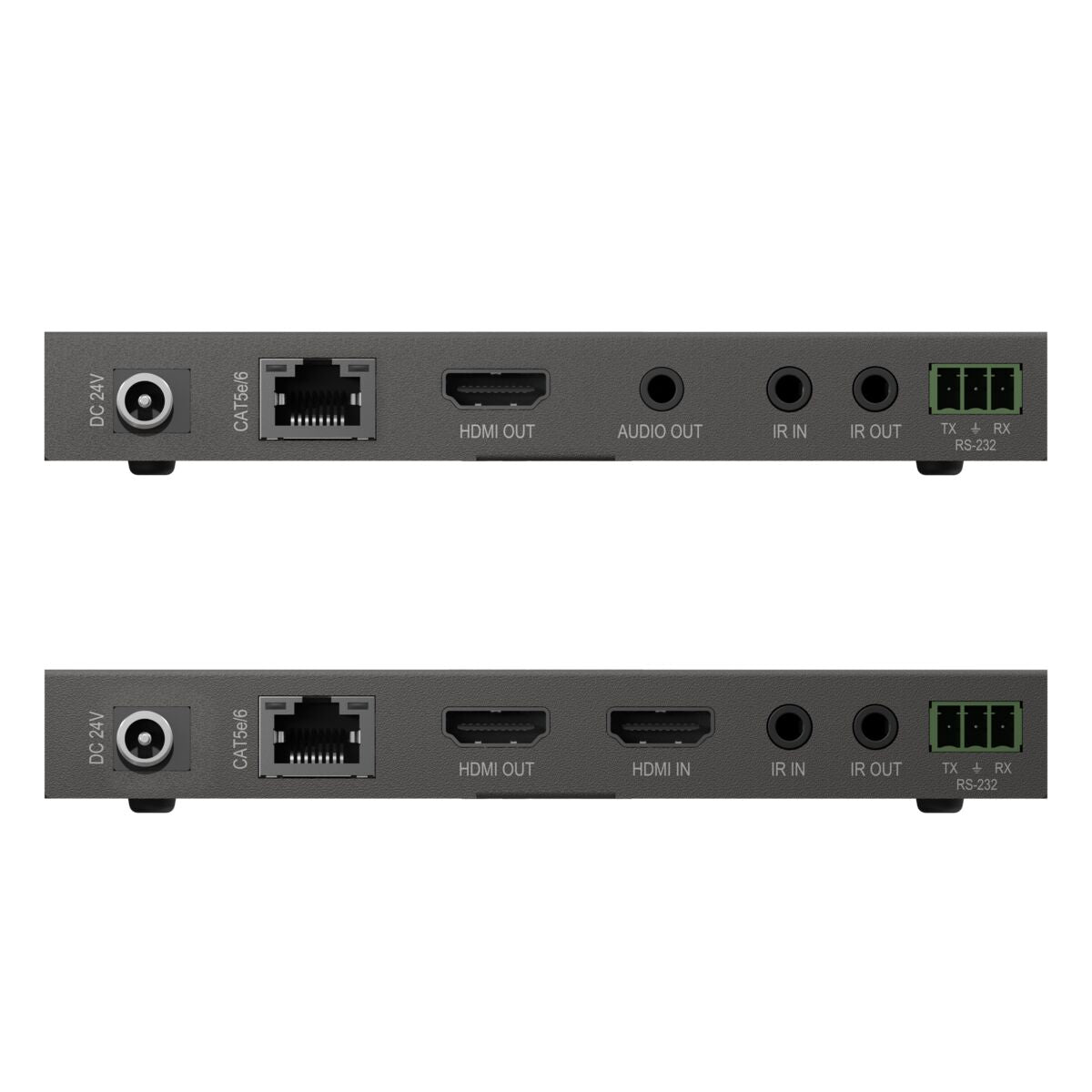
This HDMI over UTP extender enables you to extend the 4K 60Hz signal from a TV decoder or other HDMI source over 1 CAT 5e/6 cable up to 120 metres to a TV or beamer at a location of your choice, such as a shop window or lecture hall. The HDBaseT protocol supported by the set ensures perfect image transmission. You can control a connected decoder remotely using CEC's IR return function. This set is also equipped with EDID, bidirectional PoC, loopthrough, HDR, RS-232 & passthrough.
€ 239,99
In stock
4K60 Ultra HD
Extension to 120m
IR Return Function
18 Gbps
Yes! Free Shipping!
Couldn't load pickup availability


MegaView 251 Pro
HDMI over UTP extender - HDBaseT - 4K 60Hz - 120 m - PoC
4K60 Ultra HD
Extension to 120m
IR Return Function
€ 239,99
Product description
Extend a 4K HDMI signal over HDBaseT
- Extend a 4K video signal up to 120 metres using a single CAT5e/CAT6 cable.
- Suitable for Ultra HD 4K60 resolution (3840 x 2160/60 Hz), High Dynamic Range (HDR), Deep Color and 4:4:4 chroma colours.
- Operate AV equipment remotely using the integrated infrared return channel or Consumer Electronics Control (CEC).
- Built-in Power over Cable (PoC) for use of a single power adapter (transmitter or receiver).
- Supports High Definition LPCM 7.1 CH, Dolby TrueHD, Dolby Atmos, DTS:X and DTS-HD Master Audio.
- HDMI loopthrough outputs a copy of the AV signal to feed a local display or projector.
- De-embed 2.0CH analogue audio from the receiver to connect to a seperate audio system.
Technical specifications
General
Ambient temperature
+0 to +40 °C
Humidity
20% to 90%
Power supply
100-240 VAC 50/60 Hz, 24 VDC adapter
Power consumption
9.36 W
Audio
HDMI Audio Out
DTS-HD Master Audio, DTS:X, Dolby TrueHD, Dolby Atmos, Dolby Digital/AC3, LPCM 7.1, DTS 5.1, Dolby-AC3
Analog Audio Out
PCM 2.0CH
IR receiver
Frequency range
20-60 kHz
Infrared reception range
8 meters
Cable length
150 cm
Receiver
Input
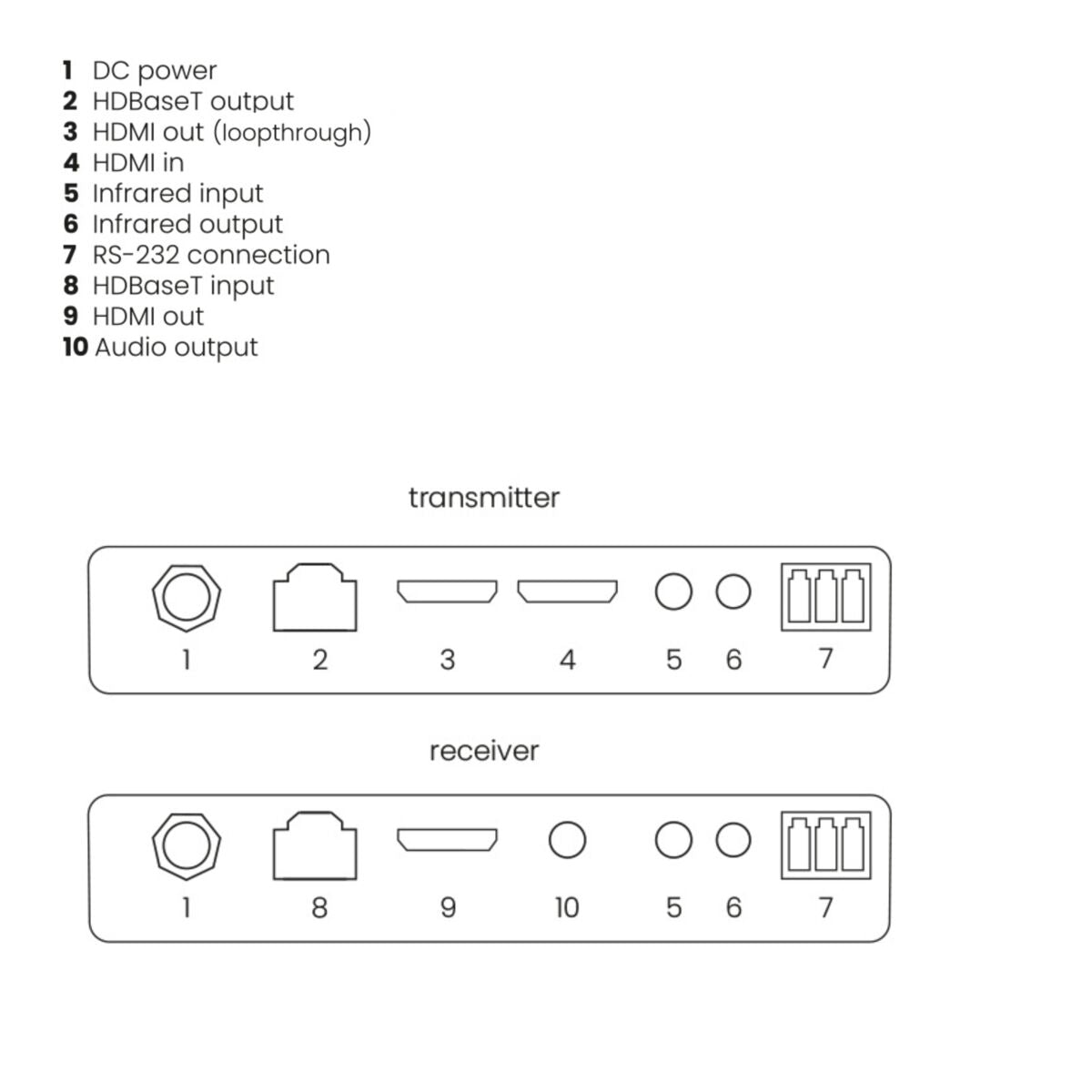
1x CAT5e/6, 1x IR in
Input
1x CAT5e/6, 1x IR in
CAT 5e/6 cable length
120m@4k/60Hz, 120m@1080p
Dimensions (h x w x d)
18 x 140 x 65 mm
Weight
155 grams
Trasnmitter
Input
1x HDMI, 1x IR in
Output
1x HDMI, 1x IR out, 1x CAT5e/6, 1x RS-232, 1x 3.5mm audio
Dimensions (H x W x D)
140 x 65 x 18mm
Weight
160 grams
Video
Video Resolution
4k@60Hz, 1080p, 1080i, 720p,576p,480p
HDMI Standard
HDMI 2.0b, HDR, DVI, EDID, CEC and HDCP 1.4/2.2
Color Formats
RGB and YCbCr 4:4 :4
Data Transfer
HDBaseT
Video Bandwidth
18.0 Gbps
Reviews
What customers say
Frequently asked questions
-
No (or poor) image and sound
If you experience poor or no picture after connecting the MegaView 251 Pro UHD, try detecting the problem by connecting the devices to your TV or projector one at a time. This enables you to determine whether the problem is in the HDMI sources, the HDMI cables, the MegaView 251 Pro or the TV.- Make sure the power adapter is connected and plugged in.
- For the best picture and sound quality, only use High Speed HDMI® certified cables.
- Do not use HDMI cables longer than those specified in the technical data.
- Check the HDMI cables and/or connectors for damage.
- Both the HDMI source and your TV or projector should fully support HDMI.
- Check that your HDMI sources and TV or projector support HDCP 2.2 (High Bandwidth Digital Content Protection) copy protection.
-
How do I connect the cables?
- Please check that the HDMI source is switched on.
- Make sure that the CAT5e/CAT6 cable is connected well (no breakages).
- Make sure the RJ-45 is connected according to the EIA/TIA T568B standard.
- Make sure that the maximum cable length is not exceeded.
- Prevent installing your system close to RF sources (wireless devices) as much as possible.
- Set your HDMI source to a lower resolution, the CAT5e/6 cable used may not be able to handle the bandwidth of higher resolutions.
-
The IR return function is not working
- Ensure that the IR LED is properly plugged in.
- Experiment with the location of the IR receiver and IR led cable.
- The IR receiver has a reception sensitivity of max. 8 metres.
- The range is also dependent on the remote control used.
Can't figure it out?

Related products

MegaView 67 Pro
HDMI over UTP extender - 1080p 60Hz - 70 m - PoC
€ 79,99

MegaView 91
HDMI over ethernet extender - 100-120 m - IR return
€ 139,99

MegaView 90
HDMI over ethernet extender - 100-120 m
€ 119,99

MegaView 76
HDMI over UTP extender - KVM
€ 139,99

MegaView 63
HDMI over UTP extender - PoC - 40 m
€ 39,99


A member of the
 group
group
 group
group
- Choosing a selection results in a full page refresh.
- Opens in a new window.