


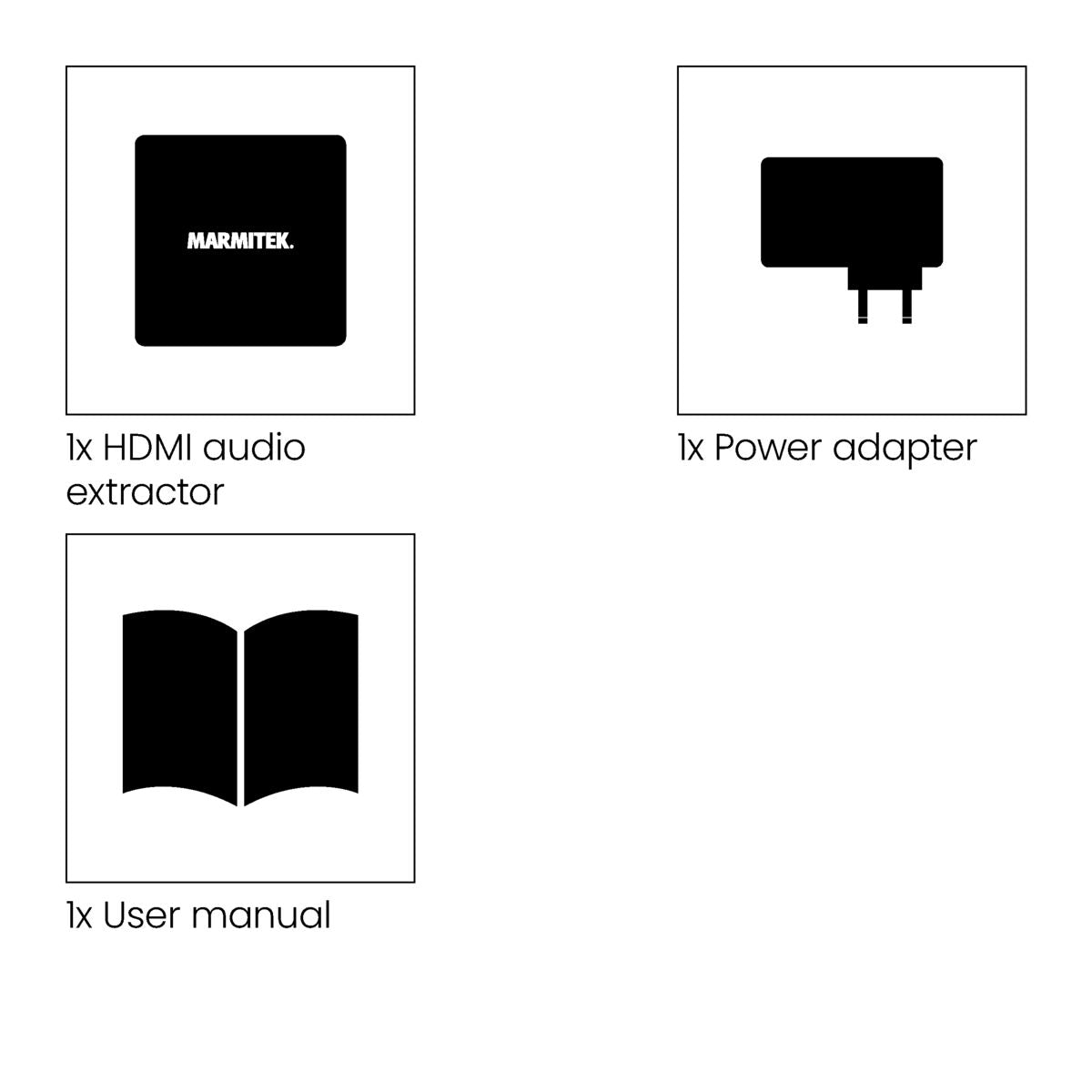
Always included
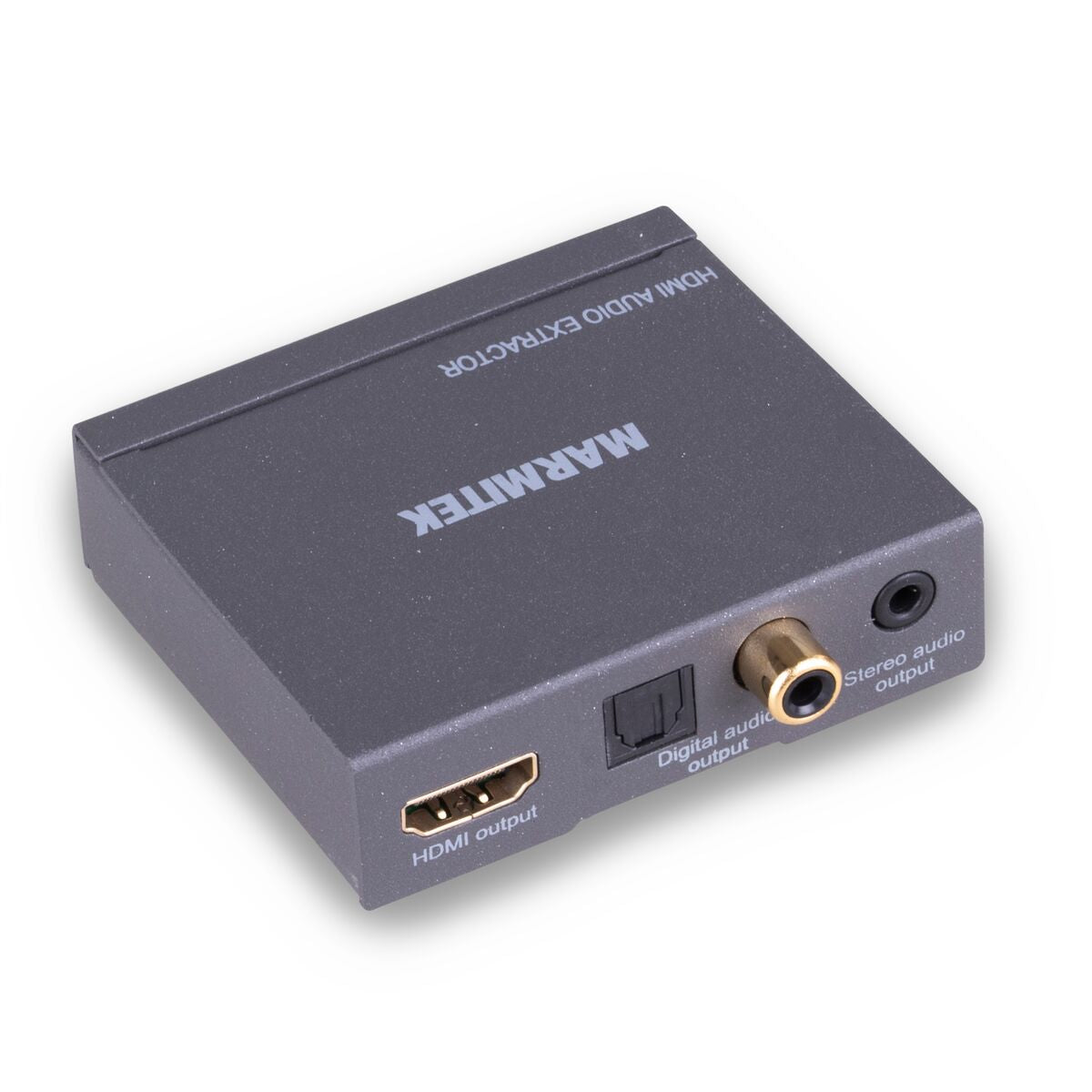
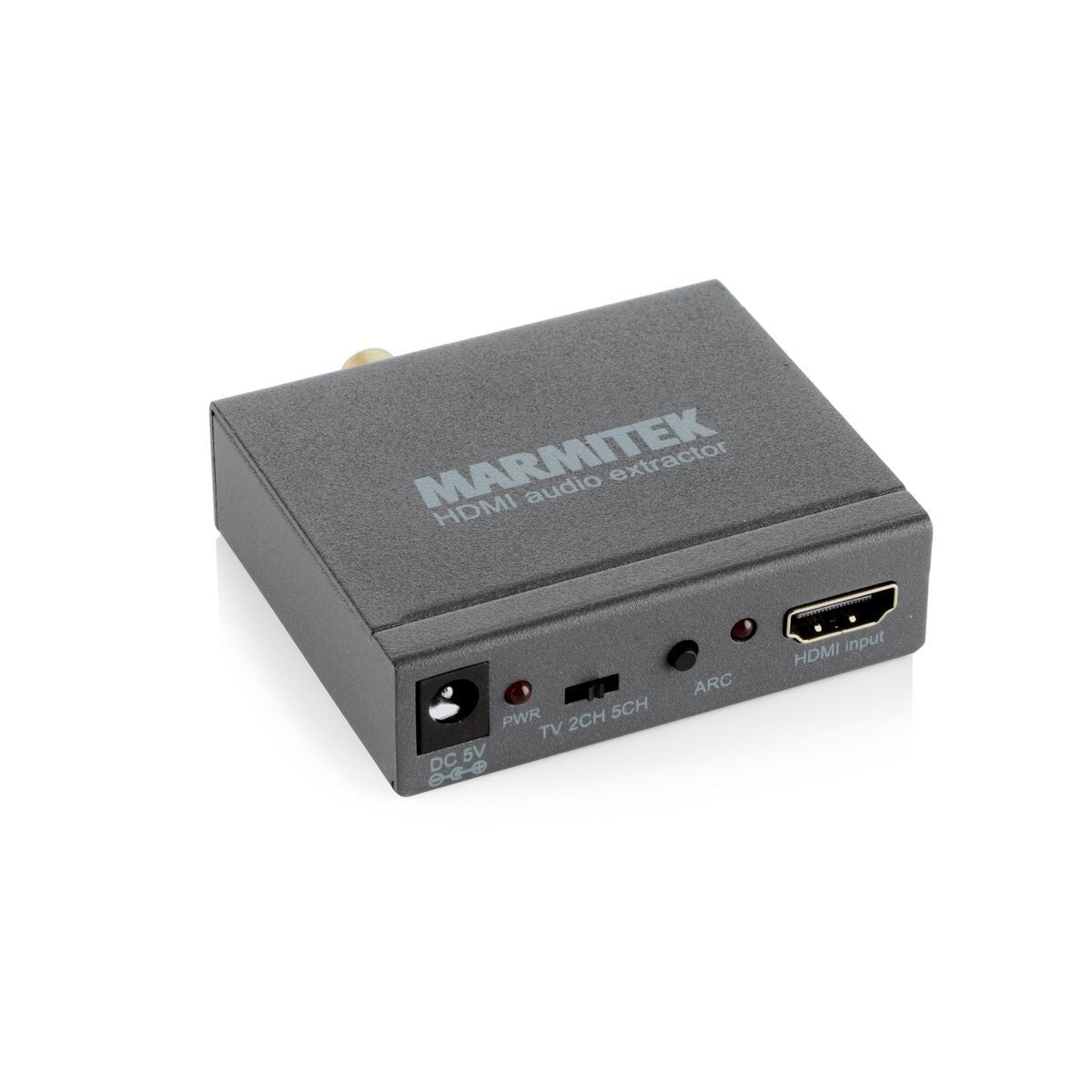
- HDMI audio extractor
- Power adapter | 150 cm
- User manual
Connect AE14
HDMI audio extractor 4K - 4K30 - ARC - 10.2 Gbps
NOTE: EU PLUG ONLY.
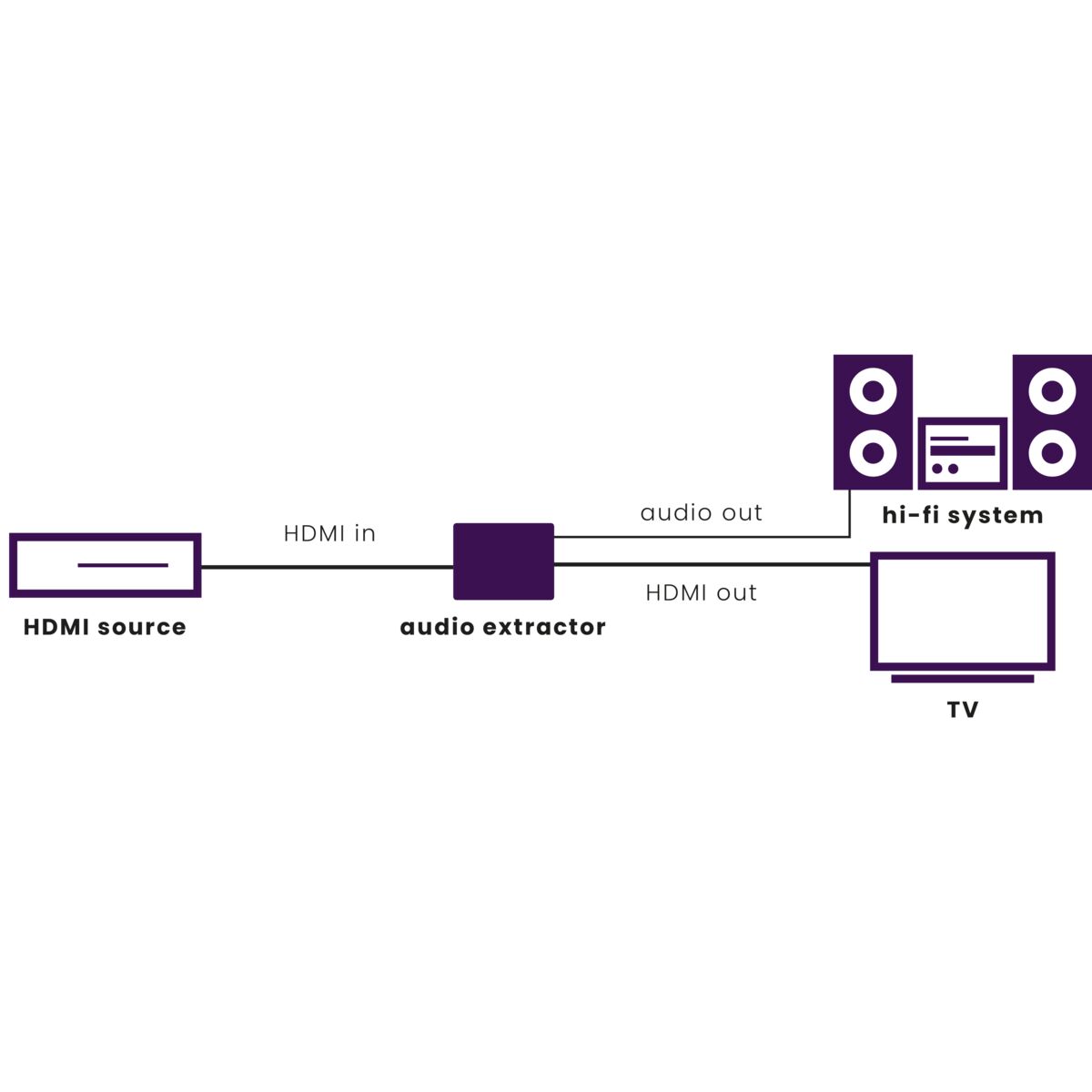
With this HDMI audio extractor, you play the sound of a built-in TV set-top box or Smart TV applications (Netflix, YouTube) on your home cinema set, audio receiver or soundbar. Or connect your HDMI sources without a dedicated audio output (Apple TV 4, Chromecast, Wii U, media players) to audio equipment. Use the Audio Return Channel (ARC) function of a TV, even when your audio equipment is not compatible with it.
232,06 zł
In stock
Get digital audio from the HDMI cable
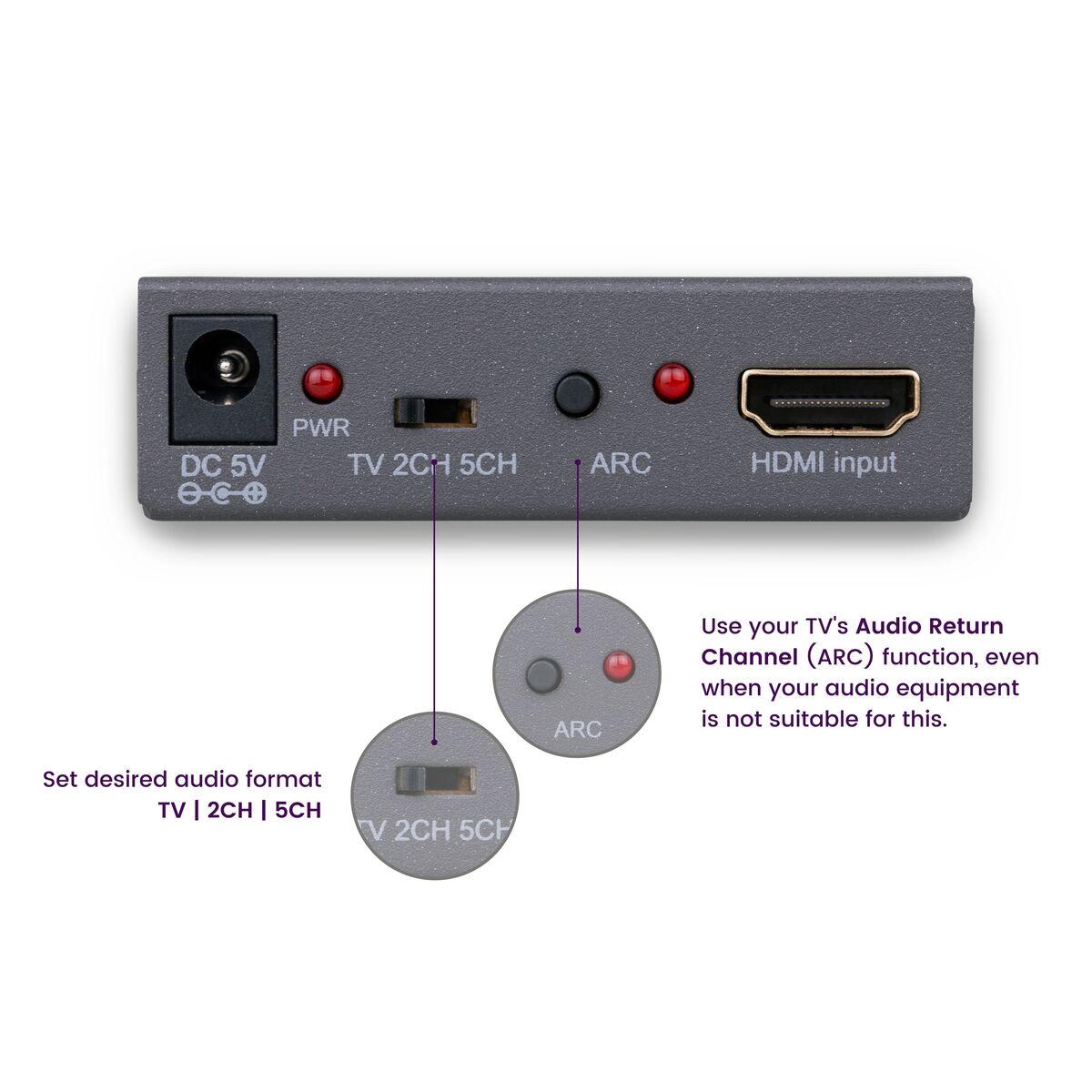
Use the TV's ARC function
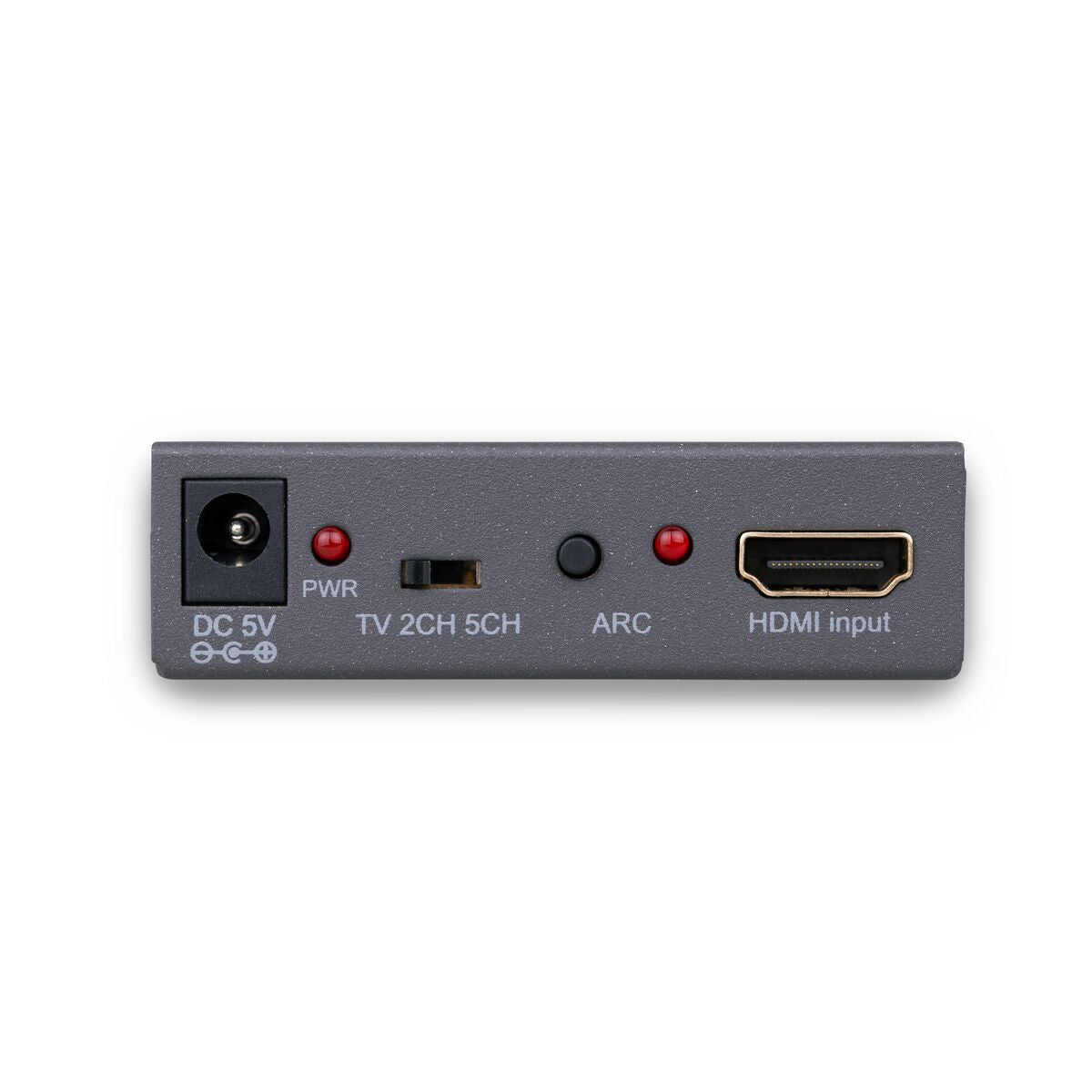
EDID switch
Yes! Free Shipping!
Couldn't load pickup availability
Receive a 25% discount on the accessories below
326,56 zł


Connect AE14
HDMI audio extractor 4K - 4K30 - ARC - 10.2 Gbps
Get digital audio from the HDMI cable
Use the TV's ARC function
EDID switch
232,06 zł
Product description
Connect devices without an available audio output to your audio equipment.
- Connect HDMI sources to your audio equipment, even if they lack a dedicated audio output (Apple TV 4, Chromecast, Wii U, media players).
- Listen to music (MP3, audio streams, radio channels) without requiring the TV being turned on.
- Versatile problem solver when connecting your audio equipment to your TV, monitor or projector.
- Determine your desired audio format using the unique EDID switch.
- Play the audio from your Smart TV applications (Netflix, YouTube) or built-in TV decoder on your home cinema set, audio amplifier or soundbar.
- Use your TV's Audio Return Channel (ARC) function, even when your audio equipment is not suitable for this.
Still want to connect your Apple TV 4, Google Chromecast or TV without an audio output to your audio equipment? You can with the Connect AE14.
This HDMI audio extractor with ARC allows you to extract audio from your HDMI source or TV and to forward it to the speakers of a home cinema set, audio amplifier or soundbar.
The products the Connect-series can be used if the inputs and outputs of equipment cannot be connected with each other by default.
Technical specifications
Connections
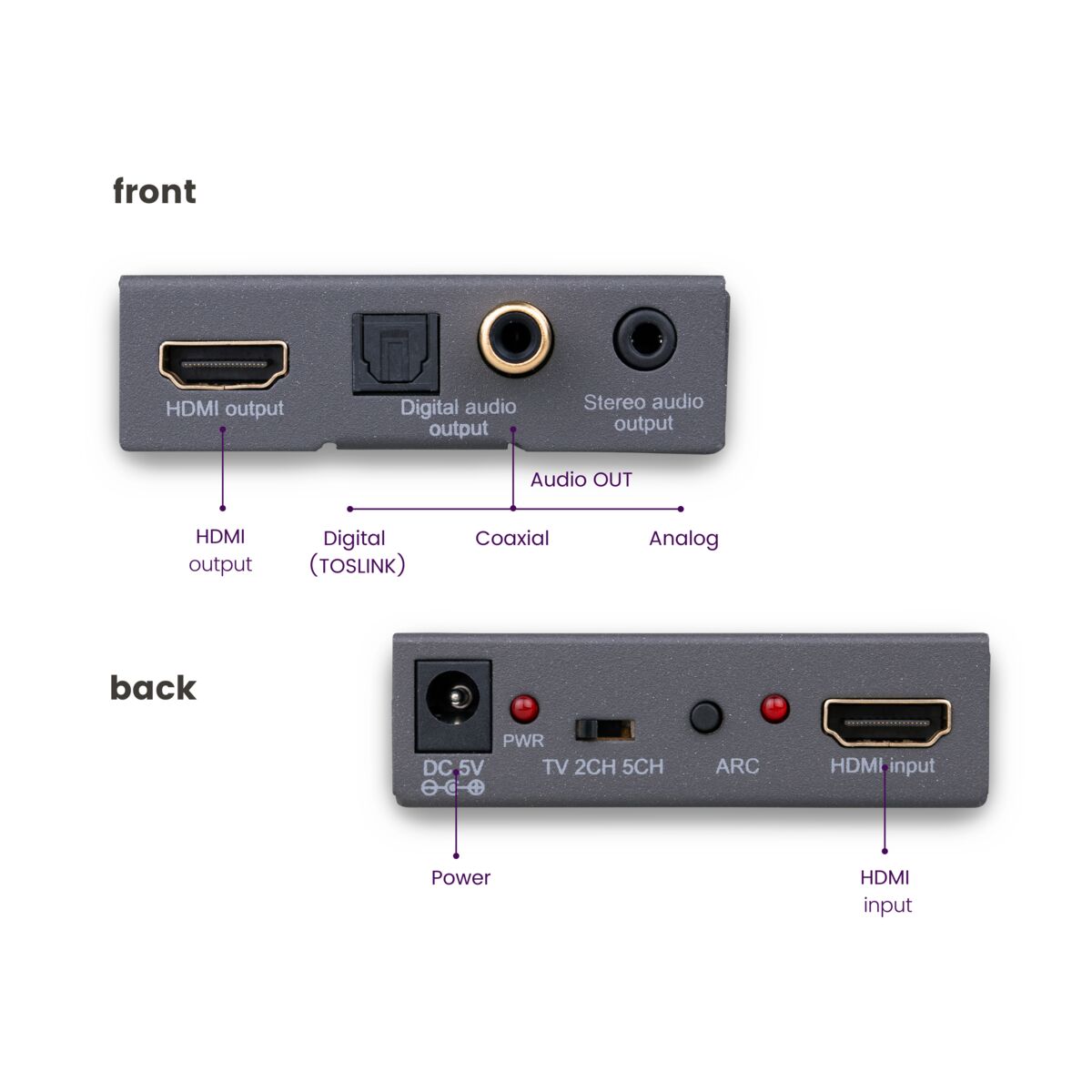
Video input
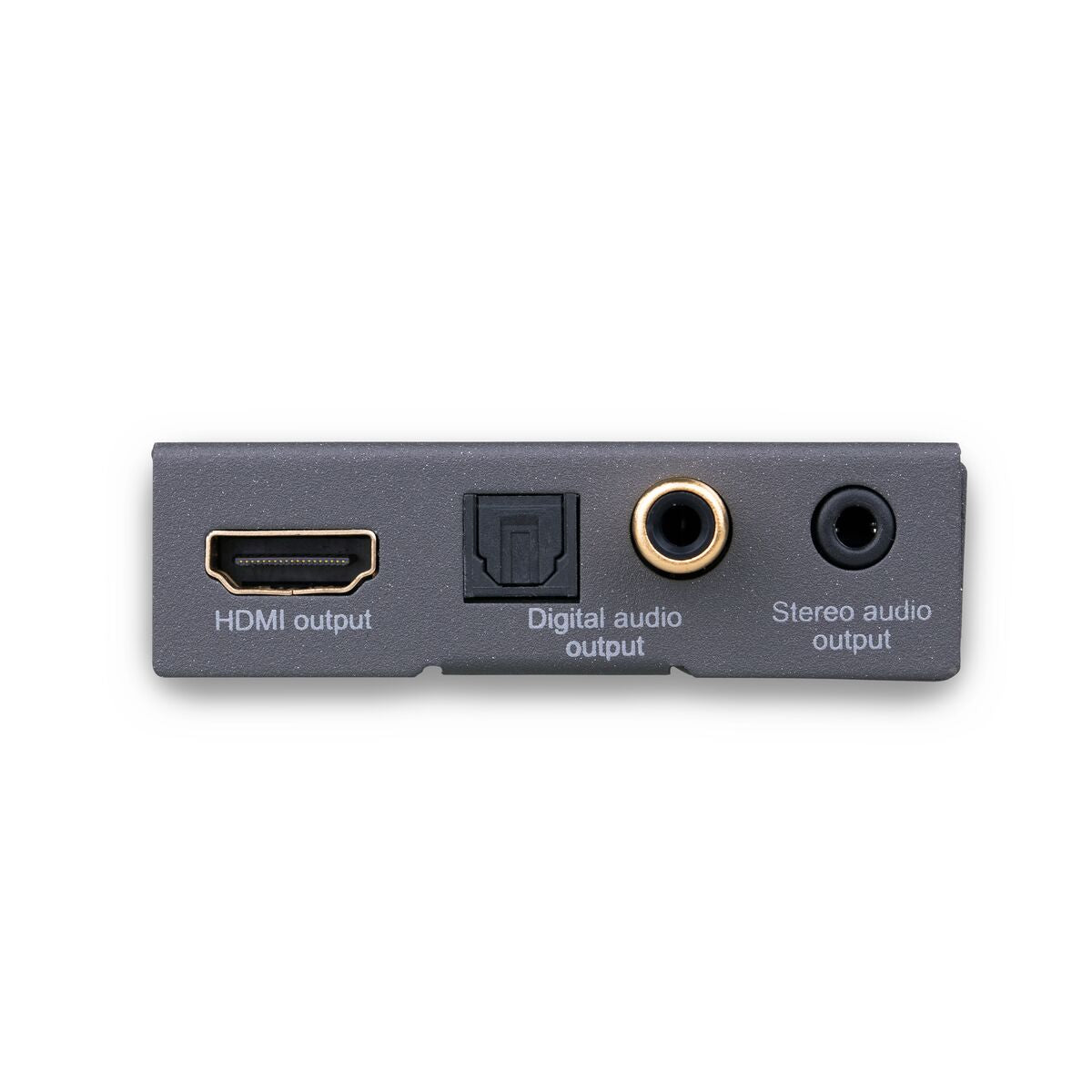
1x HDMI
Video output
1x HDMI
HDMI cable length
15 meters (max.)
Digital audio output
1x Toslink (optical), 1x coaxial
Analog audio output
1x Stereo 3.5mm jack
General
Dimensions (H x W x D)
20 x 70 x 68 mm
Weight
130 grams
Ambient temperature
+0 to +70 °C
Humidity
10% to 85%
Power supply
100 -240 VAC 50/60 Hz, 5 VDC adapter
Audio
Digital audio output
DTS 5.1, Dolby Digital/AC3 and PCM 2.0CH
Analog audio output
2.0CH stereo
Video
Supported resolution
Max. 2160@30Hz
HDMI standard
HDMI 1.4, HDCP, CEC, ARC, EDID, DVI, Deep Color 36-bit, 3D formats and x.v. Color
HDCP standard
HDCP 1.4/2.2
Video Bandwidth
10.2 Gbps
Clock Frequency
300 MHz
Color Formats
RGB and YCbCr 4:4:4, 4:2:0 or 4:2:2
Color Depth
Max 36 bit
Downloads
Reviews
What customers say
Frequently asked questions
-
How does this product extract audio from an HDMI cable?
This device is connected to an HDMI source. The HDMI-out is used to create a loopthrough to the TV, while you can connect the audio-out to Toslink, analogue output or HDMI audio-only to your amplifier. -
No (or poor) image and sound
If you experience poor or no image after connecting, try to recover the problem by connecting the devices one at the time to your screen (TV, monitor or projector). This way you can determine whether the problem lies with the HDMI sources, the HDMI cables, this product or the screen. HDMI devices which are not tested and certified by ATC (Authorized Test Centers) can cause image and sound problems.- Check if the power adapter is connected and plugged into the mains.
- Only use High Speed HDMI certified cables for the best picture and sound quality.
- Do not use HDMI cables that are longer than specified in the technical data.
- Both the HDMI source and your screen have to support HDMI fully.
- Check whether your HDMI sources, DVI device and screen support the copy protection HDCP (High-bandwidth Digital Content Protection)
- When using the ARC function, only the digital audio outputs will work. Analogue outputs will be switched off.
-
No proper 3D picture.
- Check whether the HDMI source has been set to 3D and/or that this is set to automatic.
- Both the HDMI source as well as the HD screen must support the same 3D formats.
- Check whether the proper 3D picture is reproduced by directly connecting the HDMI source to the screen with an HDMI cable.
Can't figure it out?

Related products

Connect ARC13
HDMI audio extractor - ARC - CEC
343,00 zł


A member of the
 group
group
 group
group
- Choosing a selection results in a full page refresh.
- Opens in a new window.