


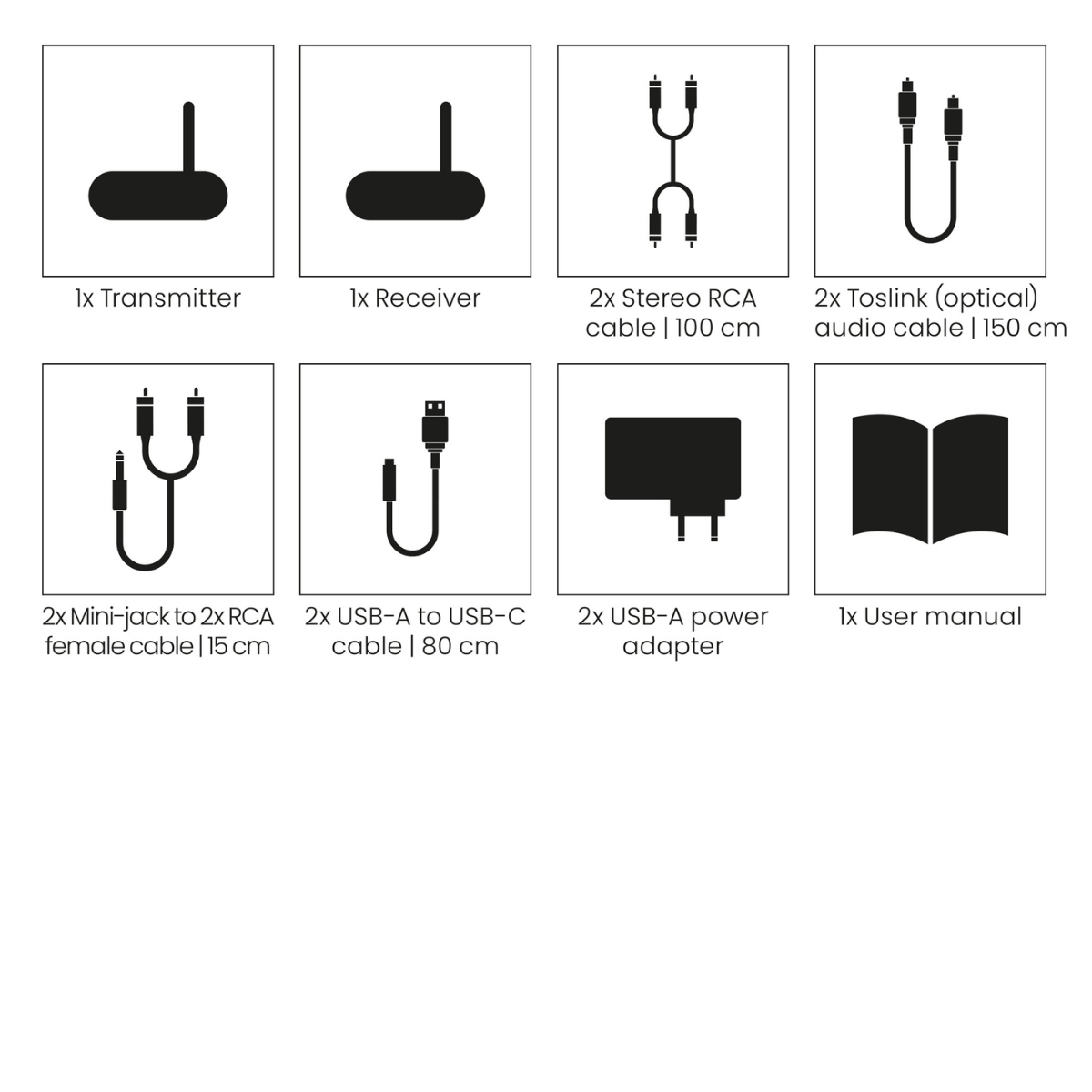
Always included
- Transmitter
- Receiver
- 2x Stereo RCA cable | 100 cm
- 2x Toslink (optical) audio cable | 150 cm
- 2x Mini-jack to 2x RCA cable | 15 cm
- 2x USB-A to USB-C cable | 80 cm
- 2x USB-A power adapter
- User manual
Audio Anywhere 730
Wireless TV and audio sound without cables
Ideal for active speakers
HDMI ARC, digital input (optical) and analogue input (RCA)
Connect multiple audio sources
Expandable up to 10 receivers
Stable sound without noticeable delay
Couldn't load pickup availability
Receive 10% discount on the accessory below





Product description
The smart solution for active speakers with your TV
Active speakers are becoming increasingly popular. They have a built-in amplifier and offer better sound than a soundbar. At the same time, they are easy to install without requiring extra components such as a separate amplifier. However, there is one drawback: they need to be connected to your TV with a cable.
The Audio Anywhere 730 solves this problem.
No more long HDMI cable required
Normally, active speakers are connected to your TV via HDMI ARC. This means running a cable from your TV to one of the speakers. Especially when your speakers are placed further apart, this is not ideal.
With the Audio Anywhere 730, those days are over. You can wirelessly send your TV sound to your speakers. No visible cables and no limitations in your setup.
Flexible speaker placement
Without an HDMI cable, you decide where to place your speakers. Position them further apart for better stereo sound or place them where they best suit your interior.
Thanks to the range of up to 20 metres through walls and ceilings, you can even place your speakers in another room.
Easy connection via HDMI ARC
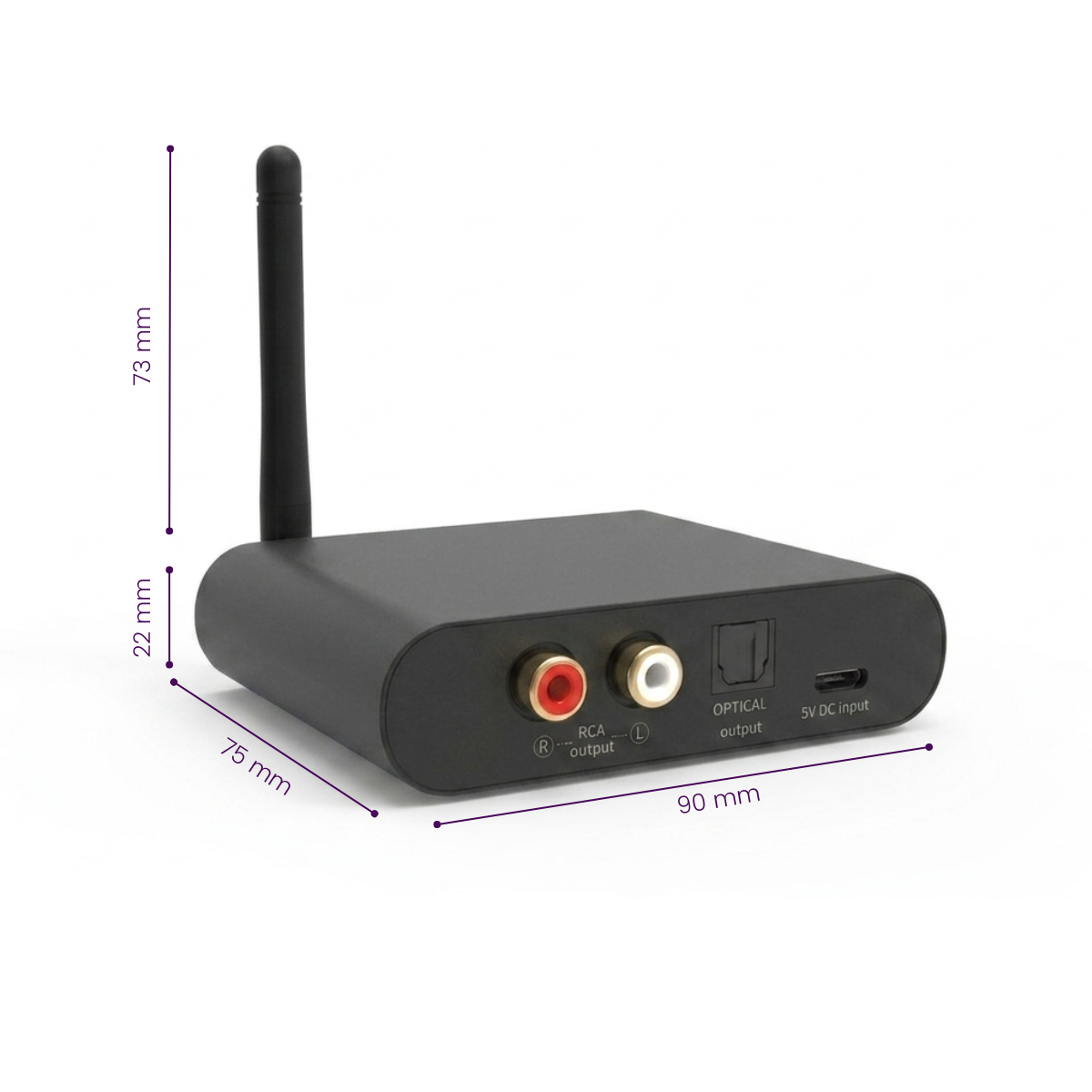
Connect the transmitter to your TV’s HDMI ARC port and connect the receiver to your speakers via the digital optical audio output. The system automatically handles the wireless audio transmission.
Before use, set your TV to PCM stereo. This is required to transmit the audio wirelessly in the correct way.
Also works with other audio sources
Besides your TV, you can also connect other devices such as a CD player, streamer or turntable with built-in preamplifier.
The transmitter has multiple inputs (HDMI ARC, optical and RCA). You can connect multiple audio sources and easily switch between them.
Expandable for multiple rooms
Want to play audio in multiple places around your home? The Audio Anywhere 730 supports up to 10 receivers.
This allows you to easily expand the system to multiple rooms. Ideal if you want sound in the living room and kitchen, or even on another floor.
Stable and synchronized sound
Thanks to the low latency (<12.5 ms), the sound remains perfectly synchronized with the image. Ideal for movies, series and TV programmes.
The wireless connection is stable and reliable, even through walls and ceilings.
Applications
TV sound through active speakers without cables
Wirelessly connect your TV to your speakers and enjoy better sound without visible cables.
Flexible speaker setup at home
Place your speakers where they sound best or look best.
Combining multiple audio systems
For example, use speakers and a soundbar together or separately.
Audio in multiple rooms
Listen in multiple rooms with additional receivers.
Main features in detail
HDMI ARC support
Connect your TV directly and wirelessly send the sound to your speakers or audio system.
Multiple audio inputs
Supports HDMI ARC, optical and RCA for maximum flexibility.
Low latency (<12.5 ms)
Ensures perfectly synchronized image and sound.
Long range
Up to 100 metres in open spaces and approximately 20 metres indoors.
Supports multiple receivers
Easily expand the system with up to 10 receivers throughout your home.
Compare the Audio Anywhere and Speaker Anywhere models
| Audio Anywhere 630 | Audio Anywhere 730 | Speaker Anywhere 650 | Speaker Anywhere 750 | |
|---|---|---|---|---|
| Use | Wirelessly transmit analogue audio to active speakers or audio system | Wirelessly transmit TV sound or digital audio to active speakers or audio system | Wirelessly connect speakers to amplifier or surround set | Wirelessly drive passive speakers |
| Best application | Simple wireless connection for analogue audio sources | Simple wireless connection for TV sound, digital and analogue audio sources | Wirelessly connect surround or Atmos speakers | Wirelessly connect bookshelf, ceiling or outdoor speakers |
| For speaker type | Active speakers / audio systems | Active speakers / soundbar / audio systems | Passive speakers | Passive speakers |
| HDMI ARC | ✗ | ✓ | ✗ | ✗ |
| Optical input | ✗ | ✓ | ✗ | ✗ |
| RCA input | ✓ | ✓ | ✗ | ✗ |
| Multiple audio sources | ✗ | ✓ (switchable) | ✗ | ✗ |
| Built-in amplifier | ✗ | ✗ | ✓ (2x 25 W) | ✓ (2x 50 W) |
| Expandable with additional receivers | ✓ (max. 10) | ✓ (max. 10) | ✓ (max. 3) | ✓ (max. 6) |
| Best choice for | Wireless audio from source to audio system | TV to active speakers without visible cables | Wirelessly connect surround or Atmos speakers | Wirelessly connect passive bookshelf speakers |
Choose the Audio Anywhere 630 if you are looking for a simple wireless analogue audio connection. Choose the Audio Anywhere 730 if you want to wirelessly connect your TV to speakers and want more flexibility for your digital audio sources.
Technical specifications
Downloads
Reviews
What customers say
Frequently asked questions
-
Can I use multiple sets/channels at the same time?
Yes, that is possible. You can also use multiple receivers at the same time, so you receive the same audio signal in different rooms. Additional receivers are available separately. -
Can I connect my speakers directly to the receiver?
To hear sound or music, connect the receiver to an amplifier with separate (built-in) speakers or so-called active speakers (with built-in amplifier). You cannot connect passive speakers directly to the receiver. -
Can I connect the USB cable of my transmitter/receiver to a USB port on, for example, my amplifier or TV?
Yes, you can. However, the connection is only used to power the Audio Anywhere 730. The transmitter/receiver then switches on and off automatically in line with the amplifier or TV (auto power on). -
I have connected the TV sound wirelessly to my audio system, but the sound is not synchronized with the picture.
Your TV needs more time to build up the picture than to play the sound. The sound from your TV is therefore played slightly later so that picture and sound are synchronized. For the best result, connect the Audio Anywhere transmitter to the audio output of your TV and not to the audio output of your set-top box or satellite receiver. If you connect the transmitter to the headphone output, the TV speakers are disconnected and you can continue to use the TV remote control to adjust the volume via the Audio Anywhere 730. -
How do I connect my TV wirelessly to speakers?
Connect the transmitter to your TV via HDMI ARC and connect the receiver to your speakers. The sound is then transmitted wirelessly. -
Do I still need an HDMI cable?
No, you no longer need a long HDMI cable between your TV and your speakers. You do still need a cable from the source to the transmitter of the Audio Anywhere 730 set. -
Does this work with every TV?
Yes, as long as your TV has HDMI ARC, optical or analogue audio output. -
Is there a delay in the sound?
No, the latency is very low, keeping picture and sound synchronized. -
Can I connect multiple audio sources?
Yes, you can connect multiple sources and easily switch between the active source. -
Can I play multiple sources at the same time?
No, you send one audio source at a time to the receiver. -
Does this wireless audio transmitter work via Wi-Fi?
No, the system uses its own wireless connection and works without Wi-Fi. -
Can I use two audio systems at the same time?
Yes, for example, you can connect active speakers and a soundbar at the same time. -
The Audio Anywhere 730 transmitter interferes with my Wi-Fi network.
If the transmitter interferes with the Wi-Fi network, try the following:- Place the transmitter > 1 metre away from the router.
- Choose another free channel by switching the transmitter off and on again.
- Place the antenna of the transmitter and receiver vertically.
-
What is the difference compared to the Audio Anywhere 630? The 730 has HDMI ARC, more connections and offers more flexibility for modern audio setups.
What is the difference compared to the Audio Anywhere 630? The 730 has HDMI ARC, more connections and offers more flexibility for modern audio setups.
Can't figure it out?

Related products

Wireless audio transmitter and receiver

Wireless audio transmitter and receiver for subwoofer

Wireless speakers connection (formerly Surround Anywhere 221)

Wireless speaker connection - Wireless audio transmitter & receiver set


 group
group
- Choosing a selection results in a full page refresh.
- Opens in a new window.