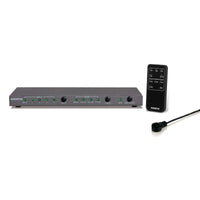
Connect multiple HDMI devices to one HDMI port

Een HDMI switch geinstalleerd waardoor er meerdere HDMI apparaten met één HDMI kabel aangesloten kunnen worden op een televisie

3 minutes to read

There are plenty of situations where you want to connect multiple devices to a single HDMI port. Maybe you want to switch between different HDMI devices without swapping cables, you want to improve your home theater or gaming experience or you just want to have fewer HDMI cables in sight. Whatever your reason, connecting multiple devices to one HDMI port is easy to achieve with an HDMI switch. In this article we explain in a few steps how to connect multiple devices to a single HDMI port using an HDMI switch.

Step 1: Check the connections on your screen

Before you start connecting multiple devices to your display's HDMI port, check how many HDMI inputs your display has. Most modern displays, such as TVs and monitors, have multiple HDMI inputs, but the number varies. If you only have 1 or 2 HDMI inputs on your screen, an HDMI switch is useful for connecting multiple HDMI devices to that one port.


Aansluitschema van een HDMI switch


Step 2: Buy an HDMI switch

So if your screen doesn't have enough HDMI inputs to house all your devices, you'll need an HDMI switch. With this device you can connect up to 4 HDMI devices to a single HDMI input on your screen and easily switch between these HDMI devices.


Step 3: Connect your devices to the HDMI switch

Once you have purchased the right HDMI switch, connect it to the desired HDMI devices

  • Connect the HDMI cables to the outputs of your HDM devices (e.g. a game console, Blu-ray player or laptop).
  • Connect the other ends of the cables to the inputs on the HDMI switch.
  • Plug the HDMI switch's power cable into a power outlet. (some HDMI switches have a built-in power supply and it does not need to be connected to a power outlet).


Step 4: Connect the HDMI switch to a display

Now that your devices are connected to the HDMI switch, connect the HDMI switch to your display. Follow these steps:

  • Connect the HDMI cable to the output of the HDMI switch.
  • Connect the other end of the cable to the HDMI input on your display.
  • Turn on the HDMI switch, your HDMI sources and your display.


Advantages of connecting multiple devices to one HDMI port using a Marmitek HDMI switch

  • Convenience: With an HDMI switch you can easily switch between different devices without having to swap cables. This allows you to enjoy your favorite games, movies and TV shows without any hassle.
  • Aesthetic: By connecting multiple HDMI devices to one screen with one cable, you have fewer loose cables running to the screen. That looks much nicer.
  • Cost effective: Instead of purchasing multiple monitors for each device, connect multiple devices to one monitor. That makes a difference!

Connect multiple displays to 1 HDMI device

We also have an extensive range of HDMI splitters and HDMI adapters. With an HDMI splitter, for example, you can connect your Playstation to multiple screens with 1 cable.


Ready for the future

With Marmitek UHD 2.0 switches you prevent connection problems and get the best out of your (existing) equipment. This range is HDMI 2.0/HDCP 2.2 compliant and therefore the best solution for connecting your HDMI devices and TVs. Our latest HDMI switches (700 series) even support HDMI 2.1 and 8K.
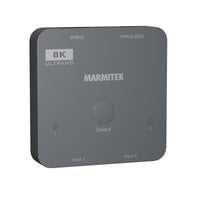
Connect 720
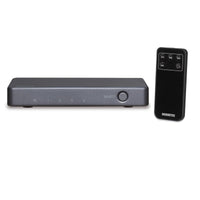
HDMI switch 8K 60Hz - 4K 120Hz - HDMI 2.1 - 2 in / 1 out
€ 39,99
€ 39,99
View products

Connect 350 UHD 2.0

HDMI switch 4K 60Hz - 5 in / 1 out
€ 39,99
€ 39,99
View products

Connect 620 UHD 2.0

HDMI switch 4K 60Hz - 4 in / 1 out
€ 54,99
€ 54,99
View products

Connect 621 UHD 2.0

HDMI switch 4K 60Hz - 4 in / 1 out
€ 119,99
€ 119,99
View products


Conclusion

Connecting multiple devices to a single HDMI port is a practical and cost-effective solution for getting the most out of your entertainment space. With the right HDMI switch, you can easily connect multiple devices and enjoy a seamless viewing experience. Whether you want to improve your home theater or expand your gaming setup, an HDMI switch offers the solution.


Back to blogs

Populaire producten

Connect 720 - HDMI switch 8K 60Hz - 4K 120Hz - HDMI 2.1 - 2 in / 1 out
Connect 720
Connect 2 HDMI sources to your TV with only 1 cable For connecting game consoles such as PlayStation 5 and Xbox X / S, Blu-ray players, digital TV decoders, media players and all other HDMI devices. Suitable for the latest Ultra HD 8K60 resolution (7680 x 4320/60Hz), Dynamic HDR, Deep Color and 4:4:4 chroma colours. Supports Dolby Atmos and DTS:X and all other common audio formats. Supports 4K120Hz resolution for game consoles, incl. Variable Refresh Rate (VRR), Auto Low Latency Mode (ALLM), Quick Frame Transport (QFT) and Quick Media Switching (QMS). Switches automatically between connected sources. Compare all our HDMI switches
€ 39,99
Connect 740 – HDMI switch 8K 60Hz – 4K 120Hz – HDMI 2.1 – 4 in / 1 out
Connect 4 HDMI sources to your TV with just 1 cable For connecting game consoles such as PlayStation and Xbox, Blu-ray players, digital TV decoders, media players and all other HDMI devices. Supports a 4K 120 Hz signal from game consoles, including Variable Refresh Rate (VRR), Auto Low Latency Mode (ALLM), Quick Frame Transport (QFT), and Quick Media Switching (QMS). Suitable for Ultra HD 8K 60 Hz signal (7680 x 4320/60 Hz), Dynamic HDR, Deep Color and 4:4:4 chroma colors. Supports Dolby Atmos and DTS:X and all other common audio formats. Switches automatically and/or with remote control (included).
€ 79,99
Connect 310 UHD 2.0 - HDMI switch 4K 60Hz - 3 in / 1 out
Connect 310 UHD 2.0
Connect 3 devices with just a single cable to the HDMI input of a TV or projector. For connecting game consoles such as PlayStation and Xbox, Blu-ray players, digital TV decoders and all other HDMI devices. Suitable for the latest Ultra HD 4K60 resolution (3840 x 2160/60 Hz), High Dynamic Range (HDR), Deep Color and 4:4:4 chroma colours. Supports HD Audio and all other common audio formats. Switches automatically and/or with remote control. Includes separate infrared receiver for operating the switch when it is positioned out of sight. Supports HDCP 2.2 for playback of protected 4K Ultra HD content. Suitable for simultaneously connecting 3 HDMI devices to your TV. This HDMI switch enables you to use 1 cable to easily connect 3 devices to your TV. Useful when your TV does not have enough HDMI ports or if you want to have your cables hidden from sight. The Connect 310 UHD automatically switches to the active HDMI source. You can use the remote control to switch between HDMI sources when two sources are active at the same time.The UHD 2.0 range is suitable for connections with the very latest Ultra HD equipment, provided these are equipped with both HDMI 2.0 and HDCP 2.2 security.Compare all our HDMI switches
€ 29,99
Connect 350 UHD 2.0 - HDMI switch 4K 60Hz - 5 in / 1 out
Connect 350 UHD 2.0
Connect 5 devices with just a single cable to the HDMI input of a TV or projector. Suitable for simultaneously connecting 5 HDMI devices to your TV. For connecting game consoles such as PlayStation and Xbox, Blu-ray players, digital TV decoders and all other HDMI devices. Suitable for the latest Ultra HD 4K60 resolution (3840 x 2160/60 Hz), High Dynamic Range (HDR), Deep Color and 4:4:4 chroma colours. Supports HD Audio and all other common audio formats. Switches automatically and/or with remote control. Includes separate infrared receiver for operating the switch when it is positioned out of sight. Supports HDCP 2.2 for playback of protected 4K Ultra HD content. This HDMI switch enables you to use 1 cable to easily connect 5 devices to your TV. Useful when your TV does not have enough HDMI ports or if you want to have your cables hidden from sight. The Connect 350 UHD automatically switches to the active HDMI source. You can use the remote control to switch between HDMI sources when two sources are active at the same time. The switch supports 4k2k and is therefore suitable for connecting to your Ultra HD TV.Compare all our HDMI switches
€ 39,99
Connect 621 UHD 2.0 - HDMI switch 4K 60Hz - 4 in / 1 out
Connect 621 UHD 2.0
Connect 4 devices with just a single cable to the HDMI input of a TV or projector. Enjoy the latest Ultra HD content and watch Netflix or a Blu-ray movie in 4K, while maintaining ultimate contrast and beautiful colours. Suitable for the latest Ultra HD 4K60 resolution (3840 x 2160/60 Hz), High Dynamic Range (HDR), Deep Color and 4:4:4 chroma colours. With additional digital audio output to also connect your AV receiver using a single cable, with the option to select your desired audio format (2.0/5.1/7.1). Supports Audio Return Channel (ARC) to avoid lip-sync problems. Supports Dolby Atmos and DTS:X and all other common audio formats. With built-in repeater and equalizer to correct any signal loss. Switches automatically and/or using remote control. Supports HDCP 2.2 for playback of protected 4K Ultra HD content. Separate IR receiver for operating the switch if it is not within line of sight. Suitable for simultaneously connecting 4 HDMI devices to your TV. The Connect 621 UHD 2.0 enables you to connect up to 4 devices to your TV with one cable. This HDMI switch has an additional digital audio output that enables you to also connect your av receiver using a single cable, with the option to select your desired audio format (2.0/5.1/7.1). The included separate infrared receiver enables you to operate the switcher when it is positioned out of sight.The UHD 2.0 range is suitable for connections with the very latest Ultra HD equipment, provided these are equipped with both HDMI 2.0 and HDCP 2.2 security.HDMI 2.0 Compared to HDMI 1.4, the main improvement of HDMI 2.0 is its higher bandwidth (higher data rate), enabling 4K with higher frame rates and HDR.The amount of data that can be sent is increased from 10.2 Gbps to 18 Gbps. This makes it possible to display 4K using a frame rate of 50-60 frames per second, 4:4:4 and HDR. HDMI 2.0 also offers support for a larger colour range (12-bit instead of 8-bit) and Dual View.HDCP 2.2 4K Ultra HD content is increasingly becoming the standard. Due to this development in digital video technology, the current copy protection, HDCP, has evolved into HDCP 2.2. To play the latest Ultra HD content (4K films or broadcasts) in the best possible image quality, all your AV equipment in the same chain must support this HDCP 2.2 security.So, this does not only apply to the source and your TV. If, for example, you route your HDMI signal via an HDMI switch, splitter, AV receiver or soundbar, they must all be HDCP 2.2 compliant. If that is not the case, the material will not be displayed in the highest possible resolution (1080p instead of 4K) + the corresponding image quality OR will sometimes not be displayed at all.Well prepared Marmitek UHD 2.0 switch gear enables you to prevent these (future) problems and to make the most of your (existing) equipment. This range is HDMI 2.0/HDCP 2.2 compliant and therefore the best solution for connecting your HDMI devices and TVs.“HDR stands for High Dynamic Range. HDR provides images with greatly enhanced brightness and higher contrast (brighter white and deeper black). Combined with better colour rendering, this creates a more realistic and natural image. In order to enjoy HDR, your TV does need to support the HDR feature. Material displayed in HDR quality (such as 4K Blu-ray, Netflix and YouTube) can then easily be played on your TV. HDR does not add more pixels, like 4K Ultra HD does, but enhances the pixels that are there.“Compare all our HDMI switches
€ 119,99
Connect 620 UHD 2.0 - HDMI switch 4K 60Hz - 4 in / 1 out
Connect 620 UHD 2.0
Connect 4 devices with just a single cable to the HDMI input of a TV or projector. Suitable for simultaneously connecting 4 HDMI devices to your TV. Enjoy the latest Ultra HD content and watch Netflix or a Blu-ray movie in 4K, while maintaining ultimate contrast and beautiful colours. Suitable for the latest Ultra HD 4K60 resolution (3840 x 2160/60 Hz), High Dynamic Range (HDR), Deep Color and 4:4:4 chroma colours. Supports Dolby Atmos and DTS:X and all other common audio formats. Switches automatically and/or with remote control. Includes built-in repeater and equalizer for correcting any signal loss. Supports HDCP 2.2 for playing protected 4K Ultra HD content. The Connect 620 UHD 2.0 enables you to connect up to 4 devices to your TV with one cable.The UHD 2.0 range is suitable for connections with the very latest Ultra HD equipment, provided these are equipped with both HDMI 2.0 and HDCP 2.2 security.HDMI 2.0 The main improvement of HDMI 2.0 in comparison to HDMI 1.4 is a higher bandwidth (higher data rate), enabling 4K with higher frame rates and HDR.The amount of data that can be sent is increased from 10.2 Gbps to 18 Gbps. This makes it possible to display 4K using a frame rate of 50-60 frames per second, 4:4:4 and HDR. HDMI 2.0 also offers support for a larger colour range (12-bit instead of 8-bit) and Dual View.HDCP 2.2 4K Ultra HD content is increasingly becoming the standard. Due to this development in digital video technology, the current copy protection, HDCP, has evolved into HDCP 2.2. To play the latest Ultra HD content (4K films or broadcasts) in the best possible image quality, all your AV equipment in the same chain must support this HDCP 2.2 security.So, this does not only apply to the source and your TV. If, for example, you route your HDMI signal via an HDMI switch, splitter, AV receiver or soundbar, they must all be HDCP 2.2 compliant as well. If that is not the case, the material will not be displayed in the highest possible resolution (1080p instead of 4K) + the corresponding image quality OR will sometimes not be displayed at all.Well prepared Marmitek UHD 2.0 switch gear enables you to prevent these (future) problems and to make the most of your (existing) equipment. This range is HDMI 2.0/HDCP 2.2 compliant and therefore the best solution for connecting your HDMI devices and TVs.“HDR stands for High Dynamic Range. HDR provides images with greatly enhanced brightness and higher contrast (brighter white and deeper black). Combined with better colour rendering, this creates a more realistic and natural image. In order to enjoy HDR, your TV does need to support the HDR feature. Material displayed in HDR quality (such as 4K Blu-ray, Netflix and YouTube) can then easily be played on your TV. HDR does not add more pixels, like 4K Ultra HD does, but enhances the pixels that are there.“Compare all our HDMI switches
€ 54,99
Connect 642 Pro - 4K HDMI matrix - 4x2 matrix switch - HDMI 2.0 matrix switch
Connect 642 Pro
Connect 4 HDMI sources to 2 TVs Connect 2 TVs or projectors and switch between 4 connected HDMI devices. HDMI matrix switch allows you to watch other HDMI devices on 2 screens independently. Use the built-in 1080p downscaler in case 1 or more screens do not support 4K resolution. Suitable for the latest Ultra HD 4K60 resolution (3840 x 2160/60 Hz), High Dynamic Range (HDR), Deep Color and 4:4:4 chroma colours. Supports Dolby Atmos and DTS:X and all other common audio formats. With additional digital audio output to also connect your AV receiver using a single cable. Supports Audio Return Channel (ARC) to avoid lip-sync problems. Switches automatically and/or with remote control. Compare all our HDMI switches
€ 119,99
Connect 730 - HDMI switch 8K 60 Hz – 4K 165 Hz – HDMI 2.1 – 3 in / 1 out
Connect 730
Connect more HDMI devices to one screen Do you have more HDMI devices than inputs on your TV, monitor or projector? The Connect 730 solves this easily. You connect three devices to the HDMI switch and then use just one HDMI cable to your screen. This keeps your setup clear and organised. You can easily switch between devices without having to reach the connections on your TV every time. This is useful for a gaming setup, home cinema or workspace with multiple devices. Ready for 8K and high 4K frame rates The Connect 730 supports HDMI 2.1 with a bandwidth of 48 Gbps. This makes this HDMI switch suitable for 8K 60 Hz and 4K up to 165 Hz. Your source, screen and HDMI cables must of course also support these resolutions. HDMI 2.1 is not only interesting for 8K. 4K at 120 Hz, 144 Hz or 165 Hz is also important for modern gaming setups. The higher the refresh rate, the smoother and more responsive the image feels. Ideal for gamers Do you use multiple gaming devices on one screen? Then the Connect 730 is a smart solution. For example, connect a PlayStation 5, Xbox Series X and gaming PC to one HDMI 2.1 input on your TV or monitor. The switch supports HDMI 2.1 features such as VRR, ALLM, QMS and QFT. These features help provide smooth and fast display, when your connected equipment also supports them. Switch automatically or choose yourself The Connect 730 can automatically switch to an active HDMI source. When you turn on a device, the HDMI switch automatically selects the right input. This makes everyday use easy. Would you rather decide which source is active yourself? Then use the included remote control. This way, you can quickly switch between your devices without getting up. Compact and easy to keep out of sight The Connect 730 is compact and works without a separate power adapter. This makes it easy to place behind your TV, on your desk or in a TV cabinet. You keep your setup neat and organised. Because you only need one HDMI cable to your screen, your installation stays tidy. This is especially useful when the cable runs through a cable duct, wall feed-through or TV cabinet. Applications Gaming setup with multiple consolesConnect your PlayStation 5, Xbox Series X and gaming PC to one HDMI input on your TV or monitor. You can quickly switch between your devices and keep your gaming setup neat. Home cinema without cable hassleUse the Connect 730 for your Blu-ray player, decoder and media player. This way, you can watch films, series and live TV via one fixed HDMI input on your screen. Monitor with few HDMI inputsThis HDMI switch is also useful with a monitor. Connect multiple devices and easily choose which source you want to use. Projector in a fixed setupUse the Connect 730 with a projector that has one HDMI input. Useful when you want to connect different sources without having to reach the connections every time. Main features in detail 3 HDMI inputs and 1 HDMI outputThe Connect 730 has three HDMI inputs and one HDMI output. This means you connect three HDMI sources to one screen. Think of a game console, gaming PC, decoder, Blu-ray player or media player. HDMI 2.1 with 48 GbpsThanks to HDMI 2.1 and 48 Gbps video bandwidth, the Connect 730 is suitable for modern display equipment. The HDMI switch supports high resolutions and high refresh rates, such as 8K 60Hz and 4K up to 165Hz. Suitable for 4K 120 Hz, 144 Hz and 165 HzHigh refresh rates are especially important for gaming. Movements look smoother and control feels more responsive. This makes the Connect 730 a good match for modern gaming monitors. Supports modern HDMI 2.1 gaming featuresThe Connect 730 supports VRR, ALLM, QMS and QFT. These features help deliver a smooth gaming experience, provided your console, PC, screen and HDMI cables also support them. High-quality audioThe HDMI switch supports modern audio formats such as Dolby Atmos, Dolby TrueHD, DTS:X and DTS-HD Master Audio. This keeps not only your picture, but also your sound at a high quality. Compact design without separate power supplyThe Connect 730 does not need a separate power adapter. That saves an extra cable and makes the HDMI switch easy to hide behind your TV, under your monitor or in your furniture. Sturdy metal housingThe metal housing gives the Connect 730 a solid finish. This housing also helps better protect sensitive HDMI signals against external interference. With the Connect 730, you make your HDMI setup clear, fast and ready for high image quality. You connect multiple devices, easily switch between sources and keep your TV cabinet, desk or gaming setup neat. This way, you get more out of your screen without hassle from extra cables. Compare all HDMI switches
€ 59,99