


Always included
- Speaker set
- Remote control
- Power cable - 1.8 m
- Speaker cable - 3 m
- User manual
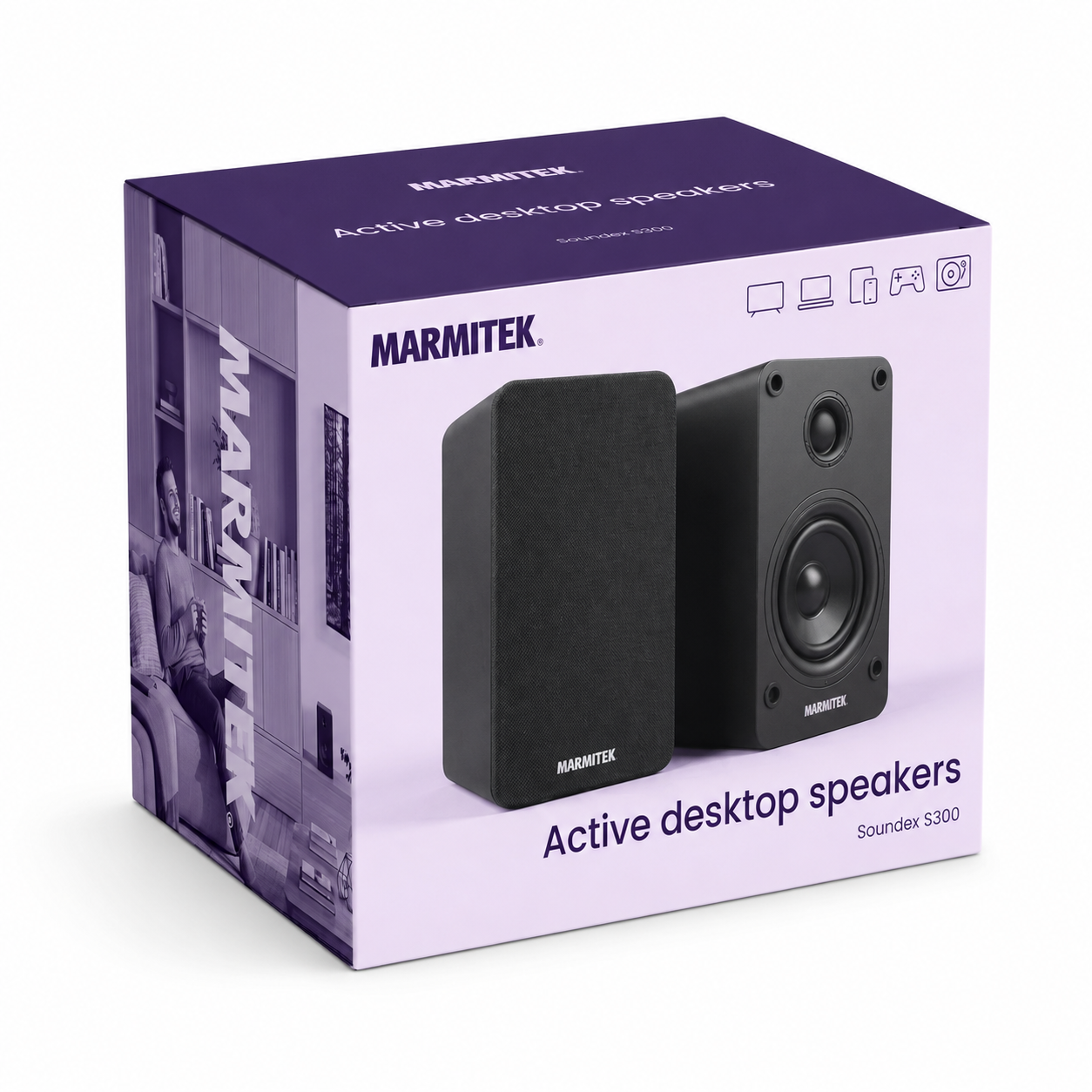
Soundex S300
No additional amplifier required
Connect easily via HDMI ARC
Control the volume with your TV remote control
Use as PC speakers via USB
Stream music wirelessly via Bluetooth 5.4
Easily expand with a subwoofer
Receive audio via Auracast from compatible devices
Remote control included
Notify me



Product description
Better sound every day
With the Soundex S300, you can enjoy rich and clear stereo sound in everything you do. Watch films and series with more impact, listen to music with more detail or work more comfortably thanks to clearer voices during online meetings.
The active speakers are ready to use straight away. You do not need a separate amplifier: simply connect them, select the right input and enjoy.
One speaker set for all your devices
The Soundex S300 is designed for everyday use. Easily connect your TV via HDMI ARC, connect your PC or laptop via USB or stream music wirelessly from your smartphone or tablet via Bluetooth 5.4. In addition, the S300 can receive Auracast broadcasts from compatible devices.
This gives you one compact speaker set for TV, music, work and entertainment.
Perfect for your TV
Via HDMI ARC, you can connect the Soundex S300 to your TV with just one HDMI cable.
Thanks to HDMI-CEC, you can then control the volume using your existing TV remote control. This lets you enjoy better TV sound without extra remote controls or complicated settings.
Ideal as PC speakers
Do you spend a lot of time working at your PC or enjoy listening to music while you work?
Via the USB connection, you can use the Soundex S300 as high-quality PC speakers. Voices sound clearer during online meetings, while music, videos and games gain much more dynamics than with standard PC speakers.
Listen to music wirelessly
Easily connect your smartphone or tablet via Bluetooth 5.4 and listen wirelessly to your favourite playlists, podcasts or internet radio.
Thanks to the built-in microphone, you can also use the same speakers for hands-free calls or online conversations.
Ready for the future
The Soundex S300 can easily grow with your needs.
In addition to HDMI ARC, Bluetooth and USB, you also have a digital optical input, an analogue input and a subwoofer output. Easily add a subwoofer later for even fuller sound.
Applications
Watching TV
Enjoy films, series, sports and games with more powerful and clearer sound than through your TV’s built-in speakers.
Work and PC use
Use the Soundex S300 as high-quality PC speakers for music, videos, online meetings and everyday PC use.
Streaming music
Listen wirelessly to music, podcasts and internet radio via Bluetooth from your smartphone or tablet.
Compact music system
Easily connect a music streamer, CD player or turntable (with built-in preamplifier) and create a compact stereo system.
Key features in detail
No separate amplifier required
The Soundex S300 are Active desktop speakers with a built-in amplifier. So you do not need to buy or connect a separate amplifier. Simply connect them and immediately enjoy better sound.
Powerful stereo sound
Films have more impact, music sounds fuller and voices are easier to understand. With a system power of 2x 35 watts, you can enjoy powerful stereo sound from a compact speaker set.
Easy connection to your TV
Connect the Soundex S300 with one HDMI cable via HDMI ARC. This lets you quickly enjoy better TV sound without a complicated installation.
Control the volume with your TV remote control
Thanks to HDMI-CEC, you can control the volume using your existing TV remote control. This means you do not have to keep switching between different remote controls and can simply use the one you already have.
Stream music wirelessly
Easily listen wirelessly to your favourite music, podcasts and internet radio from your smartphone or tablet. Thanks to Bluetooth 5.4, you can connect quickly without cables.
Receive Auracast
The Soundex S300 can wirelessly receive audio as an Auracast receiver from a compatible Auracast transmitter. This allows the S300 to join an Auracast broadcast sent, for example, by a suitable smartphone, TV or Bluetooth transmitter.
With Auracast, one compatible audio source can broadcast audio simultaneously to multiple compatible receivers, such as speakers, headphones and hearing aids. Both the audio source and the broadcasting function must support Auracast.
Connect to your PC
Enjoy better sound while working, gaming or attending online meetings. Via USB, you can easily use the Soundex S300 as high-quality PC speakers.
Connect multiple devices
Easily connect multiple audio sources, such as a TV, music streamer or CD player. Thanks to the digital optical and analogue inputs, you do not have to keep swapping cables.
Connect a subwoofer
Want even more bass? Simply connect a subwoofer and enjoy fuller sound with films, music and games.
Clear highs and fuller sound
Enjoy clear dialogue, crisp high tones and fuller sound. The combination of a dome tweeter and woofer provides natural and balanced sound reproduction.
Hands-free calling
Use the Soundex S300 for hands-free calls or online conversations as well. Thanks to the built-in microphone, you do not need to keep using a headset or microphone.
Why choose the Soundex S300?
The Soundex S300 is the ideal choice if you:
✔ want better TV sound
✔ use your PC as a music source
✔ want to listen to music wirelessly
✔ do not want to use a separate amplifier
✔ want to connect multiple devices
```Technical specifications
Downloads
Reviews
What customers say
Frequently asked questions
-
What do you use the Soundex S300 for?
You use the Soundex S300 for better sound from your TV, PC, laptop, smartphone, tablet or other audio source. -
Do I need an additional amplifier?
No, the Soundex S300 is an active speaker set with a built-in amplifier. So you do not need an additional amplifier. -
Can I connect the Soundex S300 to my TV?
Yes, you can connect the Soundex S300 via HDMI ARC or the optical output of your TV. -
Can I control the speakers with my TV remote control?
Yes, if your TV supports HDMI-CEC, you can control the volume with your existing TV remote control. -
What is the advantage of HDMI ARC?
With HDMI ARC, both the audio and volume control run through a single HDMI cable. Thanks to HDMI-CEC, you can simply use your existing TV remote control. -
Is the Soundex S300 suitable as a replacement for my TV speakers?
Yes. Thanks to HDMI ARC, you can easily connect the speakers to your TV and enjoy fuller sound and clearer dialogue. -
Is the Soundex S300 a soundbar?
No. The Soundex S300 consists of two active stereo speakers. The two separate speakers provide a wider stereo image than many compact soundbars. -
Can I use the Soundex S300 as PC speakers?
Yes. Via USB, you can easily use the Soundex S300 as PC speakers for your PC or laptop for music, videos, games and online meetings. -
Is the Soundex S300 suitable for online meetings?
Yes, the Soundex S300 is suitable for PC use and helps make voices clearer during online meetings. -
Can I stream music via Bluetooth?
Yes, with Bluetooth 5.4 you can stream music wirelessly from your smartphone, tablet or other Bluetooth device. -
Does the Soundex S300 work wirelessly?
Yes, you can use Bluetooth 5.4 for streaming music. For TV or PC, you will usually use a wired connection. -
Does the Soundex S300 have a subwoofer connection?
Yes, the Soundex S300 has a subwoofer output. This allows you to easily add extra bass. -
Which connections does the Soundex S300 have?
The Soundex S300 has HDMI ARC, USB Type-B, a digital optical input, an analogue input, a subwoofer output and Bluetooth 5.4. -
Which devices can I connect?
You can connect a TV, PC, smartphone, tablet and other audio sources via HDMI ARC, USB, Bluetooth, optical or analogue connections. -
Can I use the Soundex S300 for gaming?
Yes. The speakers are very suitable for games on a PC or console and provide more powerful and clearer sound. -
Does the Soundex S300 support Dolby Atmos?
No. The Soundex S300 delivers high-quality stereo sound. Dolby Atmos is not supported. -
Does the Soundex S300 support Auracast?
Yes. The Soundex S300 can receive audio as an Auracast receiver from a compatible device that transmits an Auracast broadcast. The S300 cannot transmit an Auracast broadcast itself. -
What do I need to use Auracast with the Soundex S300?
You need a source device that supports Auracast and can transmit an Auracast broadcast, such as a compatible smartphone, TV or Bluetooth transmitter. The Soundex S300 receives this broadcast and plays the audio.
Can't figure it out?

Related products

Wind-up radio - 4500 mAh lithium-ion battery - Solar panel

Wireless HDMI presentation system - Wireless HDMI from (multiple) laptop(s) to tv/display/projector

Bluetooth transmitter - AptX Low Latency - AptX HD

Wireless audio transmitter and receiver for TV sound and digital audio

Bluetooth receiver - NFC

HDMI Audio Extractor 4K 120 Hz - 8K 60 Hz - 4K 60 Hz - eARC - ARC - HDMI 2.1 - HDR

IR extender - >8 appl.

Wireless 4K HDMI presentation system - 4K Conferencing solution

HDMI switch 8K 60Hz - 4K 120Hz - HDMI 2.1 - 2 in / 1 out

Presentation clicker with Digital Pointer, Zoom and Air Mouse

Wireless speakers connection (formerly Surround Anywhere 221)

Wireless HDMI cable - Wireless HDMI from laptop to display

Wireless audio transmitter and receiver

4K HDMI matrix - 4x2 matrix switch - HDMI 2.0 matrix switch

Wireless audio transmitter and receiver for subwoofer

Wireless HDMI extender 4K60

Wireless speaker connection - Wireless audio transmitter & receiver set

Wireless 4K HDMI presentation system + 1 extra USB-C dongle


 group
group
- Choosing a selection results in a full page refresh.
- Opens in a new window.