


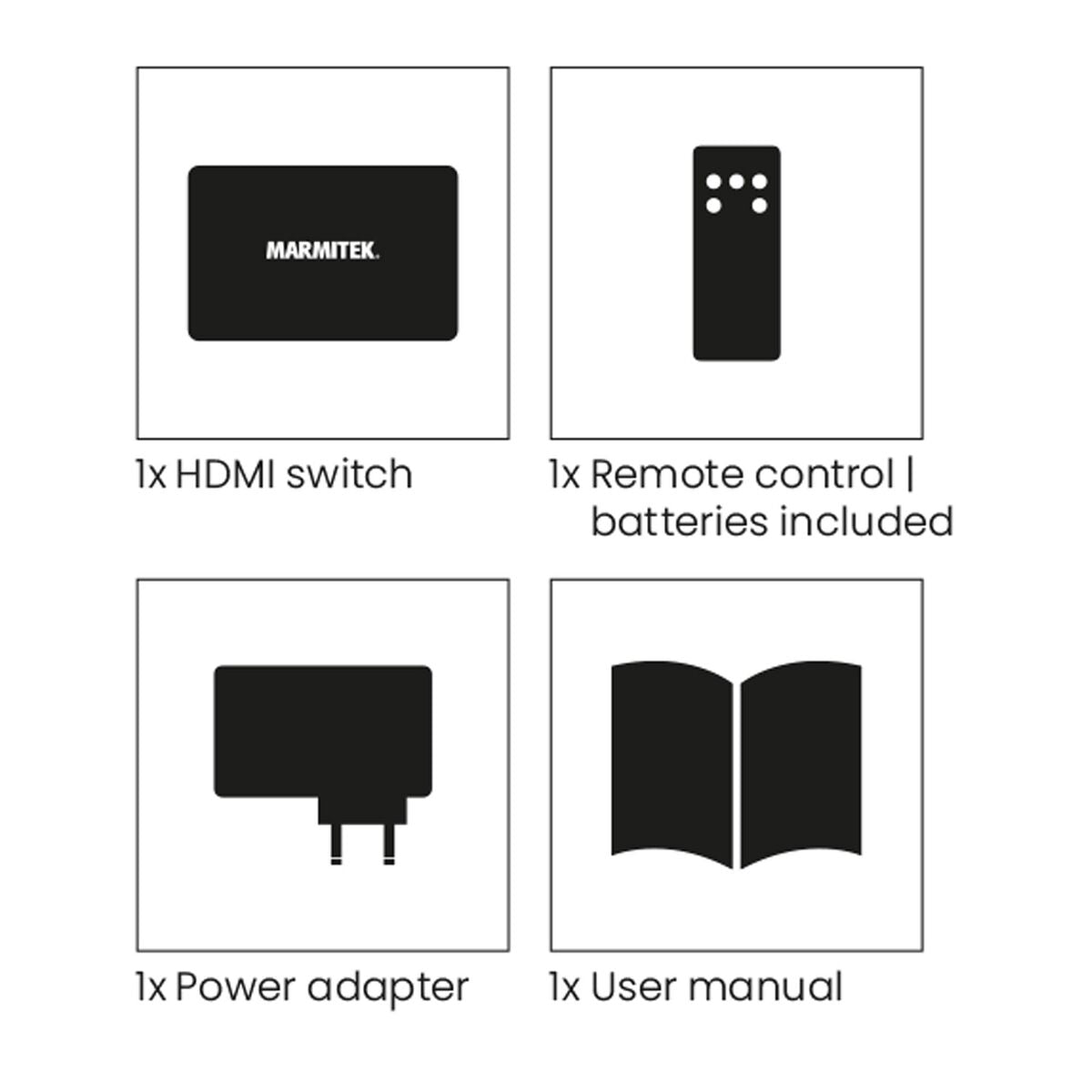
Always included
- HDMI switch
- Remote control | incl. batteries
- Power adapter | 100 cm
- Operating Instructions
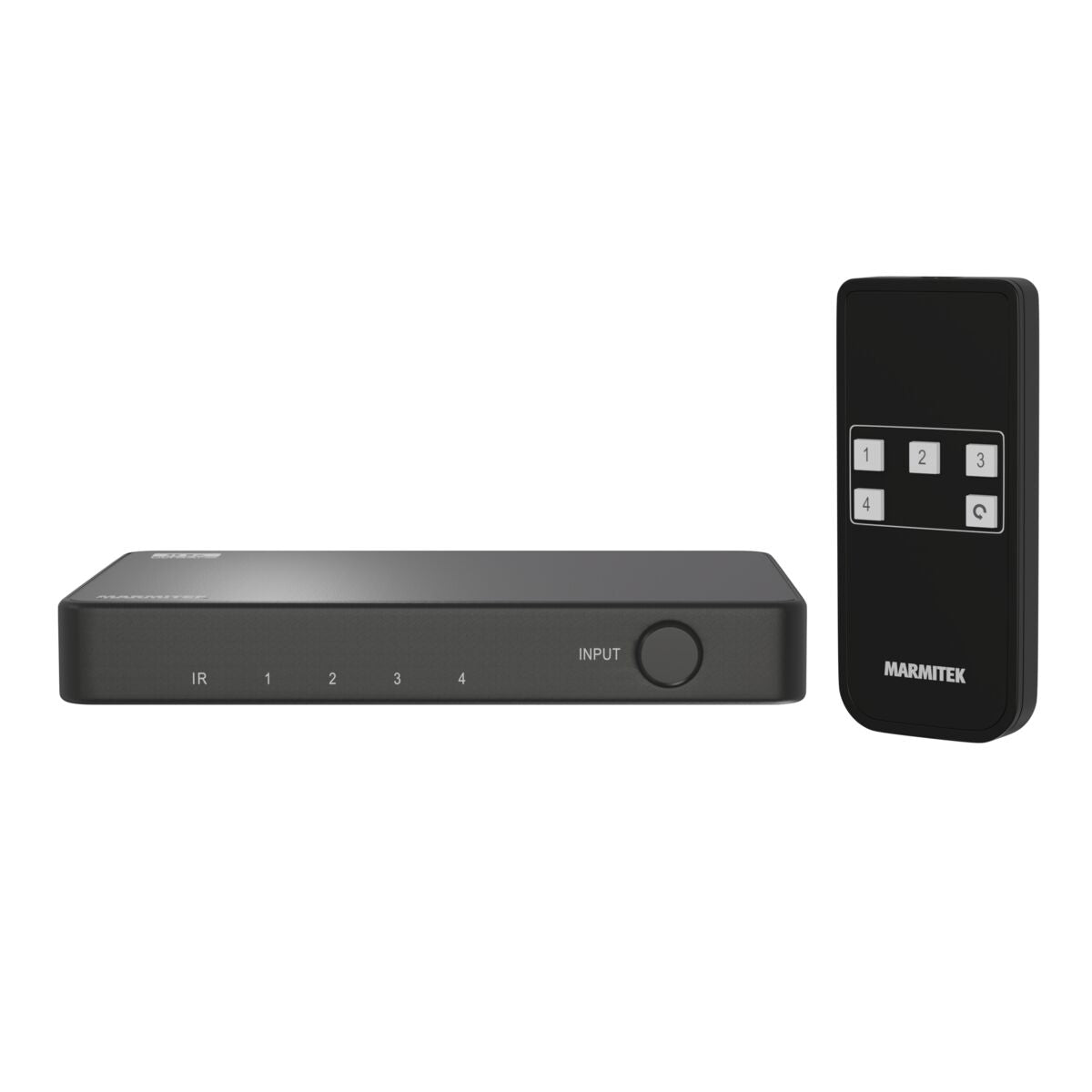
Connect 740
HDMI switch 8K 60Hz - 4K 120Hz - HDMI 2.1 - 4 in / 1 out
NOTE: ONLY AVAILABLE WITH EU PLUG.
With this HDMI switch 8K you can connect 4 devices (8K or 4K) with just one cable to the HDMI 2.1 input of a television or projector. The Connect 740 is compatible with Ultra HD 4K120 (3840 x 2160/120Hz) and 8K60 (7680 x 4320/60Hz) resolution, HDR, Deep Color and 4:4:4 chroma colors. This HDMI switch supports important game functions such as VRR, ALLM, QMS and QFT. The Connect 740 is therefore perfect for (simultaneously) connecting an Xbox Series X or Playstation 5 and 2 other HDMI devices. This switch is also suitable for use in combination with equipment with a resolution lower than 8K 60Hz or 4K 120Hz.
€ 79,99
In stock
Connect up to 4 HDMI devices
Supports 4K 120Hz, 8K60Hz
HDMI 2.1 | VRR, LMM, QMS, QFT
Switches automatically and/or with remote control
Yes! Free Shipping!
Couldn't load pickup availability
Receive a 25% discount on the accessory below
€ 100,98




Connect 740
HDMI switch 8K 60Hz - 4K 120Hz - HDMI 2.1 - 4 in / 1 out
Connect up to 4 HDMI devices
Supports 4K 120Hz, 8K60Hz
HDMI 2.1 | VRR, LMM, QMS, QFT
€ 79,99
Product description
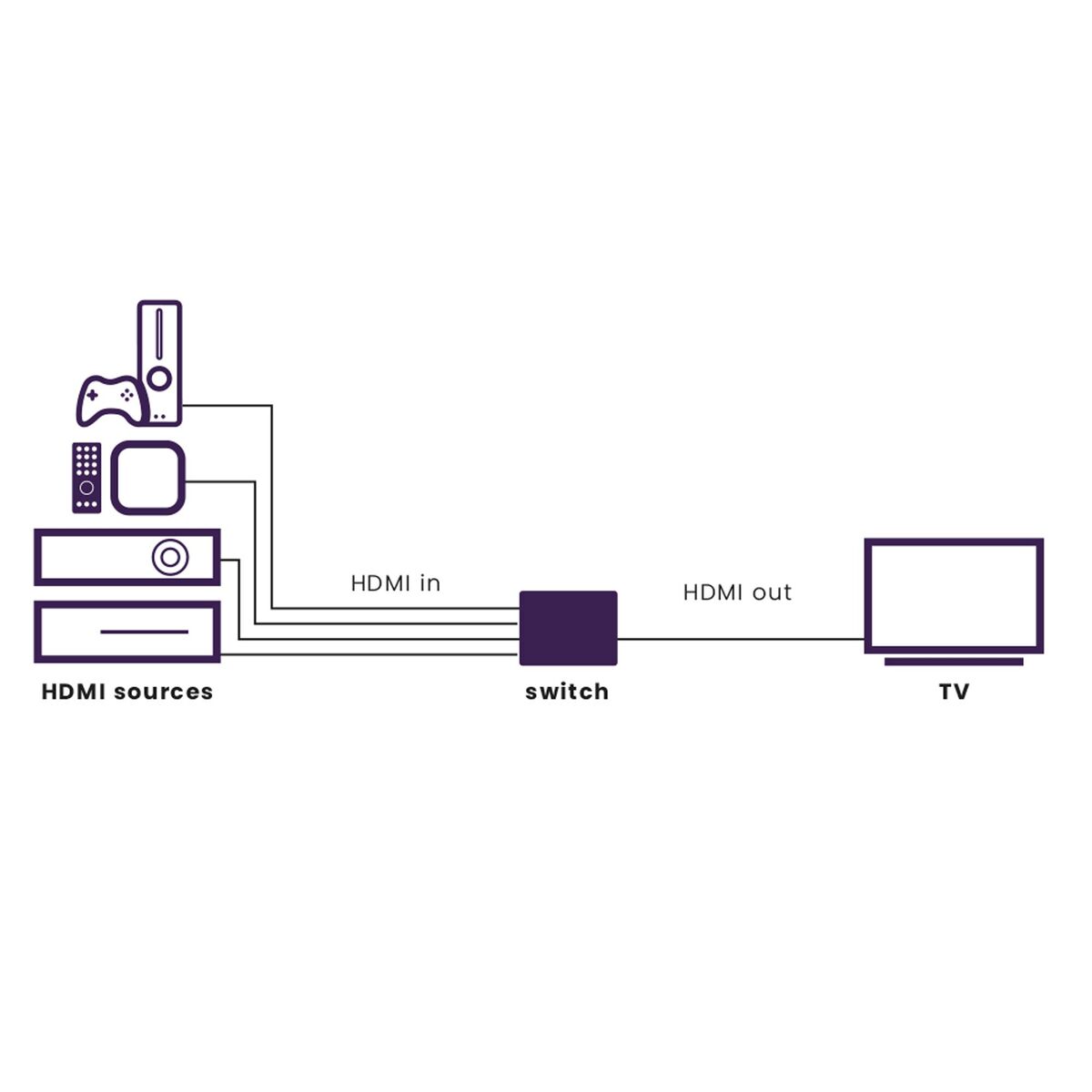
Connect 4 HDMI sources to your TV with just 1 cable
- For connecting game consoles such as PlayStation and Xbox, Blu-ray players, digital TV decoders, media players and all other HDMI devices.
- Supports a 4K 120 Hz signal from game consoles, including Variable Refresh Rate (VRR), Auto Low Latency Mode (ALLM), Quick Frame Transport (QFT), and Quick Media Switching (QMS).
- Suitable for Ultra HD 8K 60 Hz signal (7680 x 4320/60 Hz), Dynamic HDR, Deep Color and 4:4:4 chroma colors.
- Supports Dolby Atmos and DTS:X and all other common audio formats.
- Switches automatically and/or with remote control (included).
Technical specifications
Connections
AV input
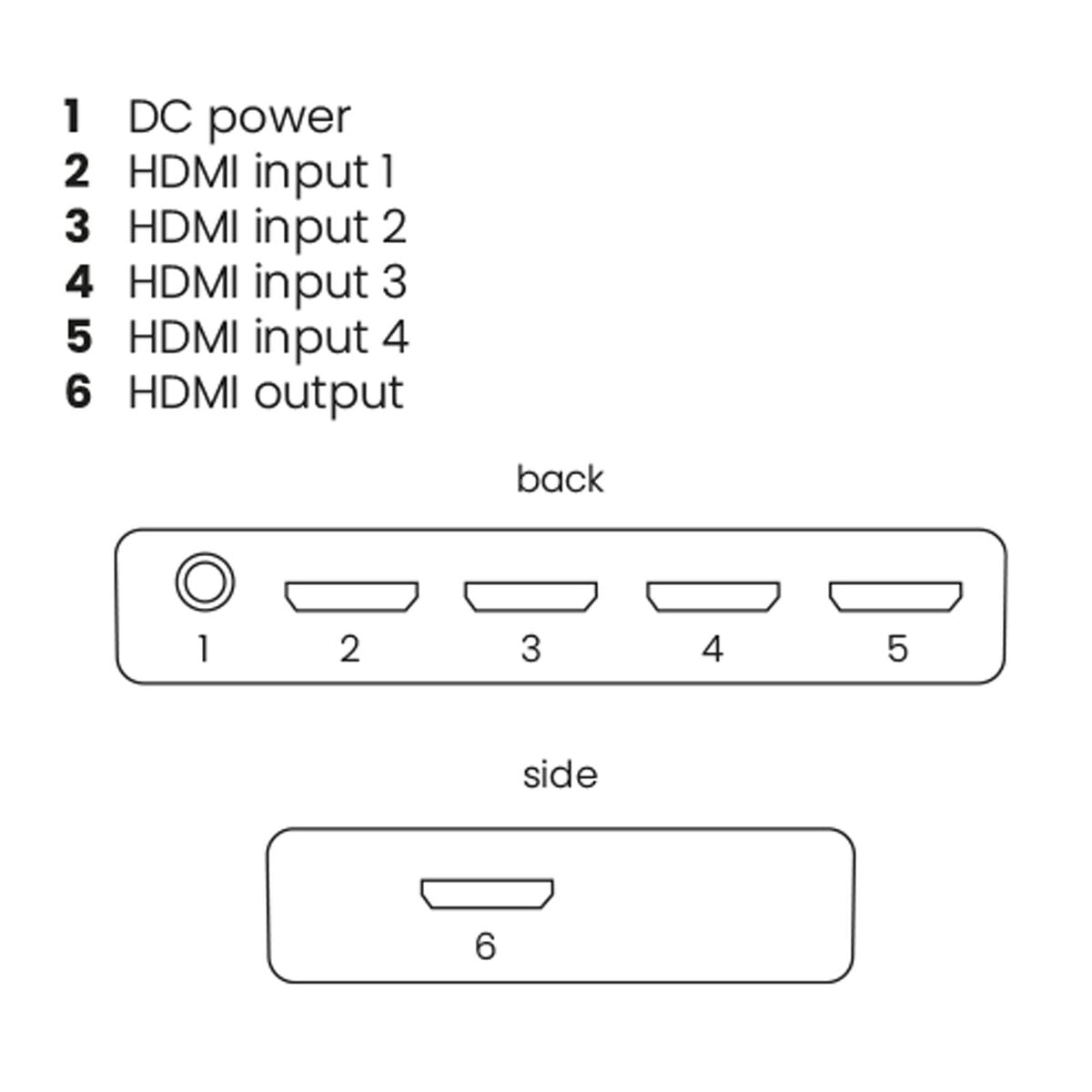
4 x HDMI
AV output
1 x HDMI
General
Dimensions (h x w x d)
17 x 120 x 78 mm
Weight
30 grams
Power supply
5 VDC
Audio
HDMI audio
DTS-HD Master Audio, DTS:X, Dolby TrueHD, Dolby Atmos, Dolby Digital/AC3, LPCM7.1 and PCM 2.0CH
Video
Video Resolution
Max. 8K 60Hz, 4K 120Hz
PC Resolution
Max. 7680 x 4320 Hz
Video Bandwidth
48 Gbps
HDMI Standard
HDMI 2.1b, CEC, EDID, DVI, Deep Color 36 bit, x.v. Colour
HDMI 2.1 features
VRR, ALLM, QFT, QMS
HDCP standard
HDCP 2.3, 2.2 and 1.4
Color formats
RGB and YCbCr 4:4:4, 4:2:0 or 4: 2:2
Color depth
Max. 12 bit
Reviews
What customers say
Frequently asked questions
-
Won't the image quality decrease when I place the Connect 740 in between?
No, with the Connect 740, the same image and audio quality will be guaranteed. -
If I switch on an HDMI source, such as a decoder, should I use the switch button to select it as a source?
No, the Connect 740 uses auto-switching, so any device that you switch on will be displayed on the screen instantly. If this does not work in exceptional cases, or you want to switch the source manually, you can use the supplied remote control. -
Which devices can I connect to the Connect 740?
All devices with an HDMI output, such as a decoder, DVD player, Blu-ray player, game console. We specifically recommend the Connect 740 for use with game consoles such as the Xbox Series X or Playstation 5. -
No (or poor) image and sound
If you experience poor or no image after connecting, try to recover the problem by connecting the devices one at the time to your screen (TV, monitor or projector). This way you can determine whether the problem lies with the HDMI sources, the HDMI cables, this product or the screen.- • Check if the power adapter is connected and plugged into the mains.
- • Only use Ultra High Speed HDMI certified cables for the best picture and sound quality.
- • Do not use HDMI cables that are longer than specified in the technical data.
- • Both the HDMI source and your screen have to support HDMI fully.
- • Check whether your HDMI sources and screen support the copy protection HDCP (High-bandwidth Digital Content Protection).
-
Which battery goes in the remote control?
CR2025
Can't figure it out?

Related products

Connect 621 UHD 2.0
HDMI switch 4K 60Hz - 4 in / 1 out
€ 149,99

Connect 620 UHD 2.0
HDMI switch 4K 60Hz - 4 in / 1 out
€ 79,99

Connect 350 UHD 2.0
HDMI switch 4K 60Hz - 5 in / 1 out
€ 49,99

Connect 310 UHD 2.0
HDMI switch 4K 60Hz - 3 in / 1 out
€ 39,99

Connect 642 Pro
4K HDMI matrix - 4x2 matrix switch - HDMI 2.0 matrix switch
€ 149,99


A member of the
 group
group
 group
group
- Choosing a selection results in a full page refresh.
- Opens in a new window.