


Always included
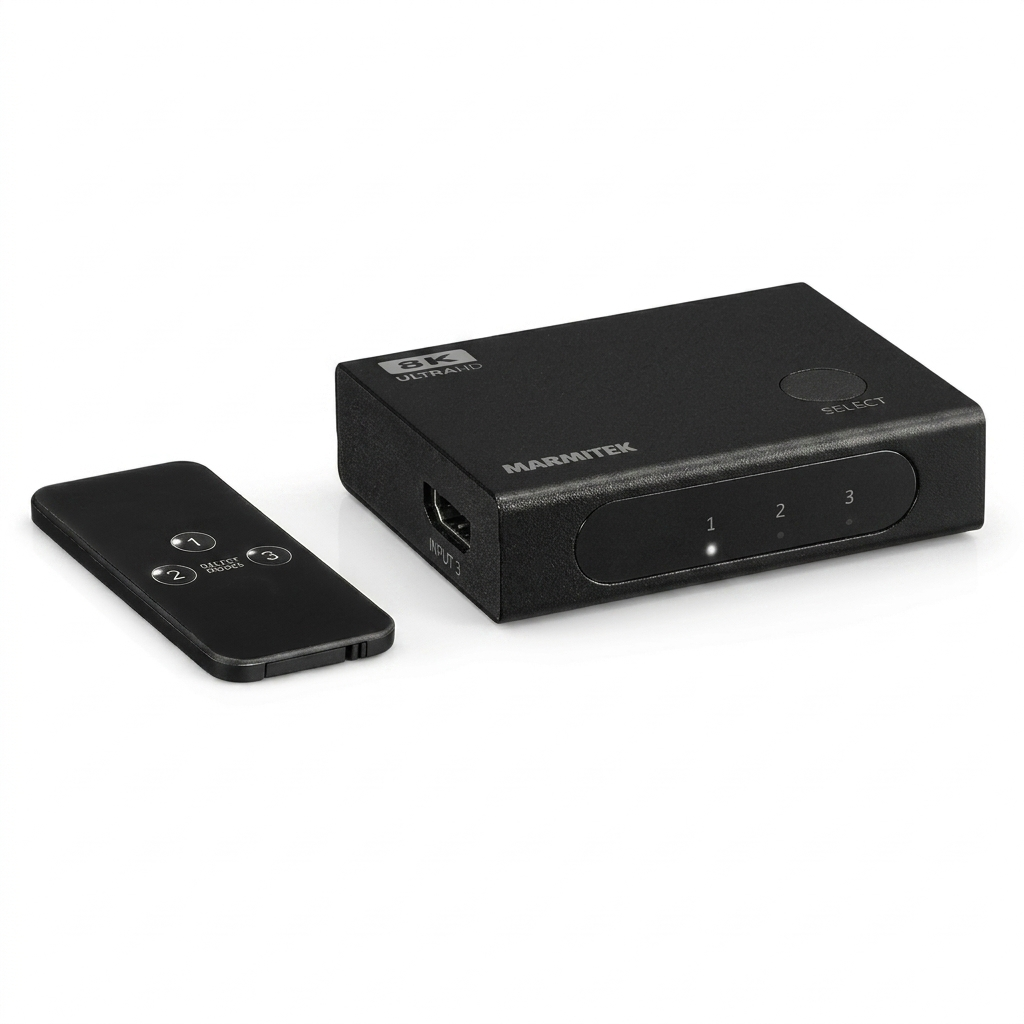
- HDMI switch
- Remote control | incl. batteries
- User manual
Connect 730
Connect up to 3 HDMI 2.1 devices to 1 HDMI input
Supports 8K 60 Hz and 4K up to 165 Hz
HDMI 2.1 with 48 Gbps video bandwidth
Suitable for PS5, Xbox Series X and gaming PC
Supports VRR, ALLM, QMS and QFT
Switches automatically and/or with remote control
Compact and without separate power adapter
Notify me



Product description
Connect more HDMI devices to one screen
Do you have more HDMI devices than inputs on your TV, monitor or projector? The Connect 730 solves this easily. You connect three devices to the HDMI switch and then use just one HDMI cable to your screen.
This keeps your setup clear and organised. You can easily switch between devices without having to reach the connections on your TV every time. This is useful for a gaming setup, home cinema or workspace with multiple devices.
Ready for 8K and high 4K frame rates
The Connect 730 supports HDMI 2.1 with a bandwidth of 48 Gbps. This makes this HDMI switch suitable for 8K 60 Hz and 4K up to 165 Hz. Your source, screen and HDMI cables must of course also support these resolutions.
HDMI 2.1 is not only interesting for 8K. 4K at 120 Hz, 144 Hz or 165 Hz is also important for modern gaming setups. The higher the refresh rate, the smoother and more responsive the image feels.
Ideal for gamers
Do you use multiple gaming devices on one screen? Then the Connect 730 is a smart solution. For example, connect a PlayStation 5, Xbox Series X and gaming PC to one HDMI 2.1 input on your TV or monitor.
The switch supports HDMI 2.1 features such as VRR, ALLM, QMS and QFT. These features help provide smooth and fast display, when your connected equipment also supports them.
Switch automatically or choose yourself
The Connect 730 can automatically switch to an active HDMI source. When you turn on a device, the HDMI switch automatically selects the right input. This makes everyday use easy.
Would you rather decide which source is active yourself? Then use the included remote control. This way, you can quickly switch between your devices without getting up.
Compact and easy to keep out of sight
The Connect 730 is compact and works without a separate power adapter. This makes it easy to place behind your TV, on your desk or in a TV cabinet. You keep your setup neat and organised.
Because you only need one HDMI cable to your screen, your installation stays tidy. This is especially useful when the cable runs through a cable duct, wall feed-through or TV cabinet.
Applications
Gaming setup with multiple consoles
Connect your PlayStation 5, Xbox Series X and gaming PC to one HDMI input on your TV or monitor. You can quickly switch between your devices and keep your gaming setup neat.
Home cinema without cable hassle
Use the Connect 730 for your Blu-ray player, decoder and media player. This way, you can watch films, series and live TV via one fixed HDMI input on your screen.
Monitor with few HDMI inputs
This HDMI switch is also useful with a monitor. Connect multiple devices and easily choose which source you want to use.
Projector in a fixed setup
Use the Connect 730 with a projector that has one HDMI input. Useful when you want to connect different sources without having to reach the connections every time.
Main features in detail
3 HDMI inputs and 1 HDMI output
The Connect 730 has three HDMI inputs and one HDMI output. This means you connect three HDMI sources to one screen. Think of a game console, gaming PC, decoder, Blu-ray player or media player.
HDMI 2.1 with 48 Gbps
Thanks to HDMI 2.1 and 48 Gbps video bandwidth, the Connect 730 is suitable for modern display equipment. The HDMI switch supports high resolutions and high refresh rates, such as 8K 60Hz and 4K up to 165Hz.
Suitable for 4K 120 Hz, 144 Hz and 165 Hz
High refresh rates are especially important for gaming. Movements look smoother and control feels more responsive. This makes the Connect 730 a good match for modern gaming monitors.
Supports modern HDMI 2.1 gaming features
The Connect 730 supports VRR, ALLM, QMS and QFT. These features help deliver a smooth gaming experience, provided your console, PC, screen and HDMI cables also support them.
High-quality audio
The HDMI switch supports modern audio formats such as Dolby Atmos, Dolby TrueHD, DTS:X and DTS-HD Master Audio. This keeps not only your picture, but also your sound at a high quality.
Compact design without separate power supply
The Connect 730 does not need a separate power adapter. That saves an extra cable and makes the HDMI switch easy to hide behind your TV, under your monitor or in your furniture.
Sturdy metal housing
The metal housing gives the Connect 730 a solid finish. This housing also helps better protect sensitive HDMI signals against external interference.
With the Connect 730, you make your HDMI setup clear, fast and ready for high image quality. You connect multiple devices, easily switch between sources and keep your TV cabinet, desk or gaming setup neat. This way, you get more out of your screen without hassle from extra cables.
Technical specifications
Downloads
Reviews
What customers say
Frequently asked questions
-
What does the Connect 730 do?
The Connect 730 is an HDMI switch. You connect three HDMI devices to one HDMI input on your TV, monitor or projector. -
When do I need an HDMI switch?
You use an HDMI switch when your screen has too few HDMI inputs. This allows you to connect multiple devices without constantly swapping cables. -
Does the Connect 730 support 8K?
Yes, the Connect 730 supports 8K at 60Hz. Your TV, monitor or projector and your HDMI cables must also support this. -
Does this HDMI switch support 4K 120Hz?
Yes, the Connect 730 supports 4K 120Hz. The switch even supports 4K up to 165Hz, depending on your connected equipment. -
Why is 4K 144Hz or 4K 165Hz useful?
A higher refresh rate ensures smoother motion and a more responsive feel while gaming. This is especially useful for fast-paced games. -
Is the Connect 730 suitable for PlayStation 5 and Xbox Series X?
Yes, the Connect 730 is suitable for modern game consoles such as PlayStation 5 and Xbox Series X. You can also connect a gaming PC. -
Can I switch automatically between devices?
Yes, the Connect 730 can automatically switch to an active HDMI source. You can also switch manually with the remote control. -
Do I need a separate power adapter?
No, the Connect 730 works without a separate power adapter. This makes it easy to place neatly. -
Which HDMI cables do I need?
Use HDMI cables that are suitable for the resolution and bandwidth you want to use. For 8K and high 4K frame rates, suitable HDMI 2.1 cables are recommended. -
Does the Connect 730 support Dolby Atmos?
Yes, the Connect 730 supports Dolby Atmos, Dolby TrueHD, DTS:X and DTS-HD Master Audio, among others. -
What can I do if I get no picture?
Check whether all HDMI cables are connected properly. Then test the source devices one by one and check whether your screen, source and cables support the selected resolution. -
Which battery does the remote control need?
CR2025
Can't figure it out?

Related products


 group
group
- Choosing a selection results in a full page refresh.
- Opens in a new window.