


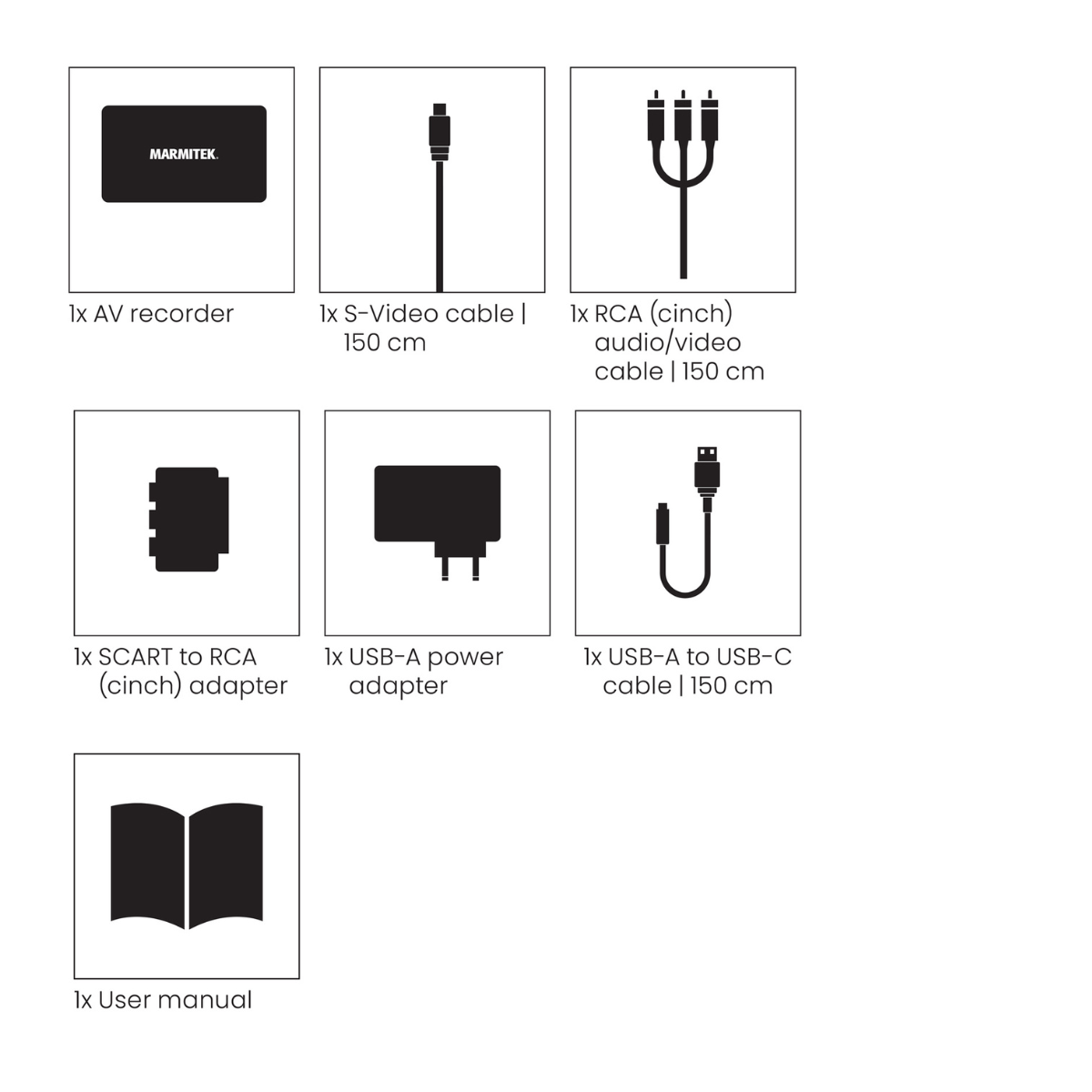
Always included
- Video converter
- S-Video cable | 150 cm
- RCA audio/video cable | 150 cm
- SCART to RCA adapter
- Power adapter | 150 cm
- User manual
Record AV200
Give your old videotapes a new digital life
Easily digitise your videos without a PC or laptop
Digitise VHS, Video8, Hi8 and VHS-C tapes yourself
Watch your recordings on the built-in screen as you go
Save your videos to a USB stick, hard drive or microSD card
Enjoy your old recordings again on your modern TV
Connect your VCR via SCART, RCA or S-Video
Notify me



Product description
Bring your old memories back to life
That holiday from years ago. A birthday at grandma and grandpa's house. Your children's first steps. Chances are, moments like these are still stored somewhere on an old videotape. Footage you haven't seen in years, but which instantly brings back memories the moment you watch it again.
With the Marmitek Record AV200, you can give those memories a new lease of life. Easily convert old analogue video recordings into digital files, without a computer or complicated software. That way, special moments no longer remain hidden away in a box in the attic, but become part of everyday life again.
It's simple: connect your VCR, play the tape and start recording. The Record AV200 saves the footage directly to a USB stick, USB hard drive or microSD card. This makes it easy to preserve your old videos in a modern digital format.
Digitise VHS tapes yourself without a computer
You don't need to be a technical expert to digitise your old videotapes. The Record AV200 works completely independently. Connect your VCR or another analogue video source via SCART, RCA or S-Video, choose your storage device and start recording.
The built-in screen lets you see exactly what's on the tape. Handy when you come across an old videotape labelled 'Holiday 1998' and have no idea what footage it contains. As the tape plays, you can follow the recording directly on the display.
And of course, it's not just about the pictures. Think of the voices of family members, the laughter at a birthday party or that one song playing in the background. The Record AV200 also records the sound. Thanks to the built-in speaker, you can hear what's happening while the tape plays.
That way, you preserve not only what those special moments looked like, but also what they sounded like.
Digitise old camcorder recordings too
Still have old recordings on Video8, Hi8 or VHS-C tapes? You can digitise those with the Record AV200 too. Connect a compatible camcorder with an analogue video output, play the tape and save the footage digitally. This way, you can preserve not only old VHS recordings, but also the memories you once captured with your camcorder.
Relive old memories together on your TV
Sometimes you don't want to digitise your tapes straight away. You find an old videotape and are simply curious to see what's on it. Or perhaps you just want to watch that special family video together again.
You can use the Record AV200 for that too. Connect your old VCR and link the HDMI output to your modern TV or projector. This lets you enjoy your old recordings on the big screen again, without needing an old television with analogue connections.
It might turn into an evening full of nostalgia. Old stories come flooding back, children see themselves as babies, and family members laugh at hairstyles everyone had hoped were long forgotten.
And if you discover footage you want to keep forever? You can digitise it using the very same device.
Because some memories are simply too precious to leave on an old videotape.
Technical specifications
Downloads
Reviews
What customers say
Frequently asked questions
-
Can I digitise VHS tapes with the Record AV200?
Yes. Simply play the VHS tape in your VCR, connect the VCR to the Record AV200 and start recording digitally. -
Do I need a computer to digitise my videotapes?
No. The Record AV200 works independently, so there's no need for a computer. You can follow the recording in real time on the built-in screen. -
Which VCRs can I connect to the Record AV200?
You can connect VCRs and other analogue video sources via SCART, RCA or S-Video. The connection you use depends on the outputs available on your VCR. -
Where can I save my digital recordings?
You can save your videos directly to a USB stick, USB hard drive or microSD card. -
How much storage does the Record AV200 support?
The Record AV200 supports USB hard drives with a capacity of up to 4 TB. USB sticks and microSD cards can have a maximum capacity of 512 GB. -
Will the sound from my old recordings be captured too?
Yes. Just make sure you connect the audio output from your video source as well. The Record AV200 captures both video and audio and saves them together digitally. -
Can I see and hear what's being recorded while digitising?
Yes. The built-in screen lets you watch the footage as it's being recorded, while the built-in speaker allows you to hear the audio. -
Can I watch my old videotapes on a modern TV?
Yes. Connect your VCR to the Record AV200, then connect the HDMI output to your TV or projector. This lets you watch your old videotapes on a modern screen without having to digitise them first. -
What quality will my videotapes be digitised in?
Enter the final recording resolution and, if applicable, the file format according to the technical specifications of the Record AV200.
Can't figure it out?

Related products

Wind-up radio - 4500 mAh lithium-ion battery - Solar panel

Wireless HDMI presentation system - Wireless HDMI from (multiple) laptop(s) to tv/display/projector

Bluetooth transmitter - AptX Low Latency - AptX HD

Wireless audio transmitter and receiver for TV sound and digital audio

Bluetooth receiver - NFC

HDMI Audio Extractor 4K 120 Hz - 8K 60 Hz - 4K 60 Hz - eARC - ARC - HDMI 2.1 - HDR

IR extender - >8 appl.

Wireless 4K HDMI presentation system - 4K Conferencing solution


HDMI switch 8K 60Hz - 4K 120Hz - HDMI 2.1 - 2 in / 1 out

Presentation clicker with Digital Pointer, Zoom and Air Mouse

Wireless speakers connection

Wireless HDMI cable - Wireless HDMI from laptop to display

Wireless audio transmitter and receiver

4K HDMI matrix - 4x2 matrix switch - HDMI 2.0 matrix switch

Wireless audio transmitter and receiver for subwoofer

Wireless HDMI extender 4K60

Wireless speaker connection - Wireless audio transmitter & receiver set

Wireless 4K HDMI presentation system + 1 extra USB-C dongle

Wireless Speaker− and Subwoofer Connection - Complete Set for Passive Speakers and Active Subwoofer

Wireless Speaker and Subwoofer Connection – For 2 Passive Speakers and 1 Active Subwoofer


 group
- Choosing a selection results in a full page refresh.
- Opens in a new window.