


Presentation clicker
Make an impression with your presentations with our advanced presentation clicker. Whether you are a professional speaker, teacher, businessman or woman, our wireless presentation clicker provides the perfect tool to take your presentations to the next level. With innovative features and reliable performance, you'll present effortlessly and confidently, every time.
-
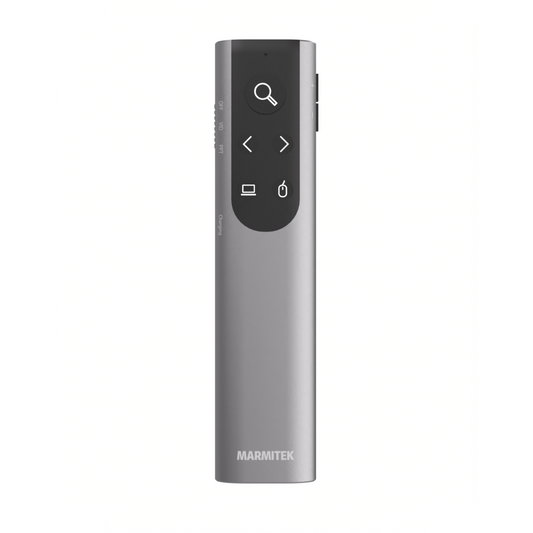
WPR 400
Presentation clicker with Digital Pointer, Zoom and Air Mouse
Range
100 meters
Communication
2.4 GHz RF
Dimensions
130 x 30 x 13 mm
Weight
50 grams
Battery life
100 days
Battery charging time
1 hour
FAQ
-
What is a presentation clicker?
A presentation clicker is a remote control that allows you to easily scroll through your PowerPoint or Keynote slides during a presentation. -
How does a presentation clicker work?
The clicker connects wirelessly to your laptop via a USB receiver and controls your presentation remotely. -
How do I connect my presentation clicker?
Plug the USB receiver into your laptop or connect via Bluetooth. Install the software and the clicker is ready to use. -
How do you use a presentation clicker?
Start your presentation in PowerPoint or Keynote and use the buttons on the clicker to move slides forward or backward. -
What is the range of a presentation clicker?
Typically 10 to 20 metres, depending on the model and the environment. -
Does a presentation clicker work with any laptop?
Yes, Marmitek clickers are compatible with Windows & macOS. -
Do I need to use batteries?
No, the WPR 400 has a built-in lithium battery. You can charge it using the included USB-C power cable. -
Does this work with PowerPoint, Keynote and Google Slides?
Yes, our clickers support all major presentation software. -
What is the difference between a presentation clicker and a wireless presentation system?
A clicker is a remote control for your slides, while a presentation system wirelessly transmits video and audio to a screen or projector.


A member of the
 group
group
 group
group
- Choosing a selection results in a full page refresh.
- Opens in a new window.